
A little inspiration. A plan you can use.
Your next Minecraft build starts here.
Find a place to call home, a machine for your survival base, or a bigger project to make your world your own. See what you're building before you gather the first block.
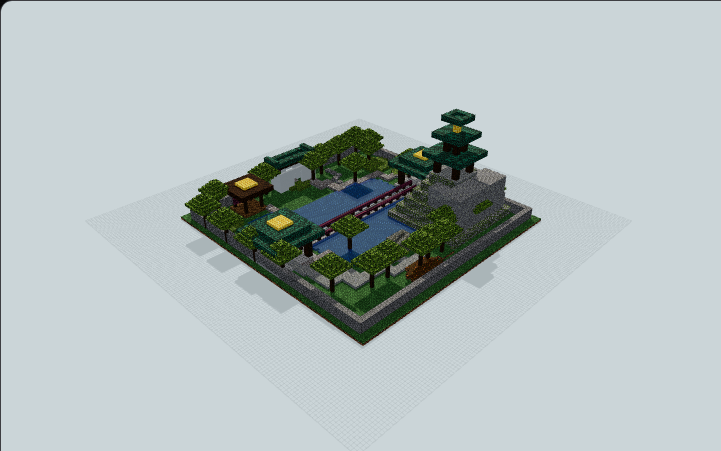
From “I like that” to your own world.
MinePilot is a free library of Minecraft build plans. Start small or aim high; every build has a page you can explore before downloading.
Pick your next project
Browse real build images, then narrow your choice by category and size. Try a starter home, a bridge, or a Redstone machine.
Explore categories →Look inside before you build
Rotate the 3D preview, slice through the layers and check the exact placed-block counts. Materials include block icons and stack equivalents.
Plan a survival build →Take the plan into Minecraft
Choose an available download format and follow the import guide. For verified machines, read the Quick Start before switching them on.
Get started with importing →Build your way.
Build block by block
Use the browser's materials and layer guide to plan your supplies. Where a native .litematic file is available, load it with Litematica to follow a projection in Java Edition.
Use a Litematica layer guide →Import with WorldEdit
Download the .schem file and follow the WorldEdit guide to load and paste it. Check the build's edition and recorded tested version first.
Import with WorldEdit →Know what you're getting.
These are Java Edition build files. Available formats are listed on each build; native Litematica downloads are still limited to builds with a prepared file. A good-looking preview does not guarantee a working machine or support for every Minecraft version. Look for specific test evidence and a Quick Start on machine pages.
MinePilot is made with CraftDAG, our open-source building toolkit. Curious about how it works? The source is on GitHub.
3D previews use Minecraft Java 26.3 visual resources, © Mojang AB / Microsoft.
NOT AN OFFICIAL MINECRAFT SERVICE. NOT APPROVED BY OR ASSOCIATED WITH MOJANG OR MICROSOFT. MinePilot is an independently operated community website responsible for its own content, downloads, and support. Read the Minecraft Usage Guidelines.