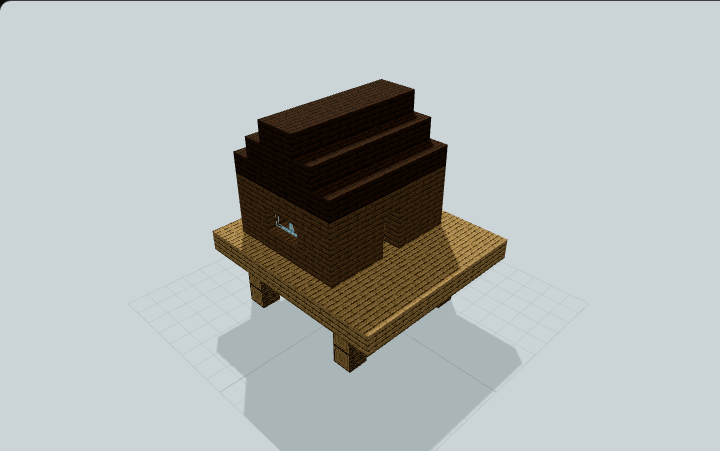
Medieval Timber Storage Hall
A timber-and-stone storage hall with 78 accessible barrels, layered spruce eaves, an open entrance and a central sorting counter for survival item storage.
WorldEdit .schem available. No native .litematic file for this build.
3D Preview
Using the storage hall
78 barrels provide 2,106 inventory slots across two three-high banks. Every barrel can be reached from the ground-level aisles.
- 1
Place on level ground
Import the schematic with WorldEdit on Minecraft Java 26.3. Align the stone foundation with your prepared level surface before pasting.
- 2
Enter and store
Enter through the wide open timber portal. Use the side aisles to reach the east-facing left bank and west-facing right bank, including their upper rows.
- 3
Sort supplies
Use the central crafting table and sorting counter, with the stonecutter beside the front aisle. Barrels are empty and storage is manual.
This is a storage hall, with no bed or automatic item sorting. Check lighting and ground connections for your placement.
Can I use this?
Edition target: Minecraft Java Edition · File: Sponge .schem
Tested: Java 26.3 + WorldEdit 7.4.6. Other versions: Not tested.
Compatibility evidence & limits
Recorded artifact acceptance: verification evidence. Tested schematic SHA-256:
c3e22a8ad178320b87978a8881d81e25a49199ab5eedd6830d2bddd74c60f42aThis records the tested artifact and environment. A 3D preview or file DataVersion alone does not verify behavior in your game.
WorldEdit is an import tool; survival layer guides are also available. Bedrock conversion and Litematica version compatibility are not verified.
Build Facts
JSON fact sheet- Dimensions
- 23 x 13 x 28 blocks
- Compiled blocks
- 1,481
- Edition
- Minecraft Java Edition
- File format
- Sponge .schem
- Category
- other
- Updated
Curated by MinePilot from a CraftDAG component plan. Canonical page: https://www.myminepilot.com/builds/medieval-timber-storage-hall
Materials
1,481 blocksPlaced block counts · stack equivalents, not crafting ingredients. Expand for exact BlockStates.
 Spruce Planks2553×64 + 63
minecraft:spruce_planks× 255 Cobblestone2523×64 + 60
minecraft:cobblestone× 252 Spruce Slab2453×64 + 53
minecraft:spruce_slab[type=bottom,waterlogged=false]× 242minecraft:spruce_slab[type=top,waterlogged=false]× 3 Spruce Stairs2023×64 + 10
minecraft:spruce_stairs[facing=east,half=bottom,shape=straight,waterlogged=false]× 88minecraft:spruce_stairs[facing=west,half=bottom,shape=straight,waterlogged=false]× 88minecraft:spruce_stairs[facing=south,half=top,shape=straight,waterlogged=false]× 22minecraft:spruce_stairs[facing=north,half=bottom,shape=straight,waterlogged=false]× 2minecraft:spruce_stairs[facing=east,half=top,shape=straight,waterlogged=false]× 1minecraft:spruce_stairs[facing=west,half=top,shape=straight,waterlogged=false]× 1 Spruce Log1452×64 + 17
minecraft:spruce_log[axis=x]× 75minecraft:spruce_log[axis=y]× 44minecraft:spruce_log[axis=z]× 26 Stone Bricks1031×64 + 39
minecraft:stone_bricks× 103 Barrel781×64 + 14
minecraft:barrel[facing=east,open=false]× 39minecraft:barrel[facing=west,open=false]× 39Dark Oak Slab661×64 + 2
minecraft:dark_oak_slab[type=top,waterlogged=false]× 44minecraft:dark_oak_slab[type=bottom,waterlogged=false]× 22Stripped Spruce Log5252 / 64 stack
minecraft:stripped_spruce_log[axis=y]× 52Gravel2121 / 64 stack
minecraft:gravel× 21 Dark Oak Stairs1616 / 64 stack
minecraft:dark_oak_stairs[facing=east,half=bottom,shape=straight,waterlogged=false]× 8minecraft:dark_oak_stairs[facing=west,half=bottom,shape=straight,waterlogged=false]× 8 Spruce Trapdoor1616 / 64 stack
minecraft:spruce_trapdoor[facing=east,half=bottom,open=true,powered=false,waterlogged=false]× 8minecraft:spruce_trapdoor[facing=west,half=bottom,open=true,powered=false,waterlogged=false]× 8 Stone Brick Slab1616 / 64 stack
minecraft:stone_brick_slab[type=bottom,waterlogged=false]× 16 Oak Leaves88 / 64 stack
minecraft:oak_leaves[distance=1,persistent=true,waterlogged=false]× 8 Lantern22 / 64 stack
minecraft:lantern[hanging=true,waterlogged=false]× 2 Spruce Door22 / 64 stack
minecraft:spruce_door[facing=north,half=lower,hinge=left]× 1minecraft:spruce_door[facing=north,half=upper,hinge=left]× 1Crafting Table11 / 64 stack
minecraft:crafting_table× 1Stonecutter1Placed blocks
minecraft:stonecutter[facing=south]× 1Layer Guide
10 layersImport Guide
Java Edition- Download the protected
.schemfile for Medieval Timber Storage Hall. - Place it in your WorldEdit or Litematica schematics folder.
- Load the schematic in-game, preview placement, then paste or build layer by layer.
Finding related builds…