Four-Material Smelting & Sorted Storage
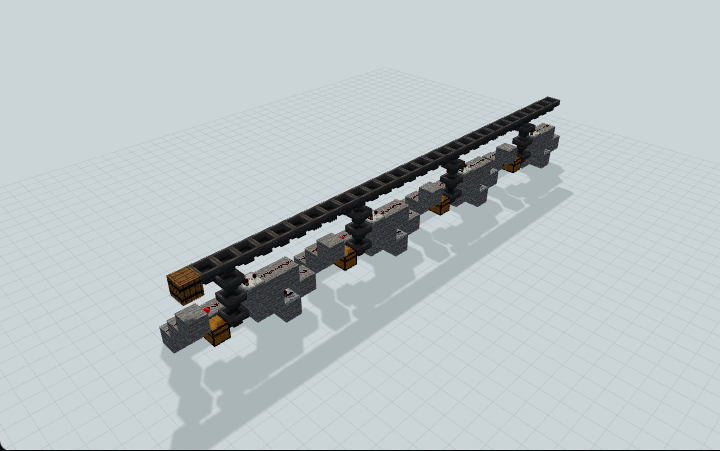
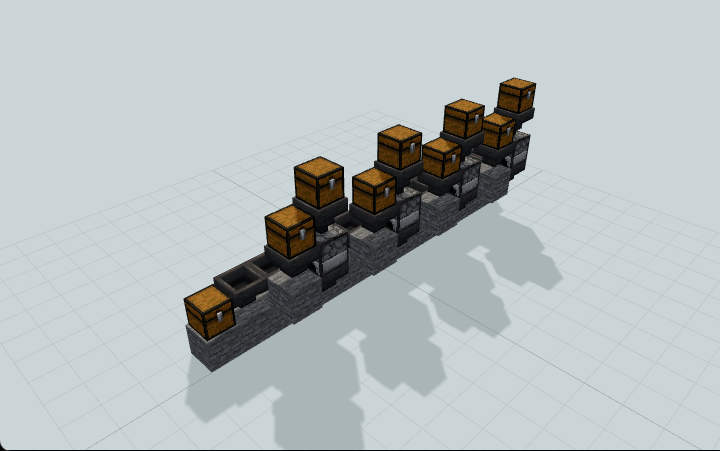
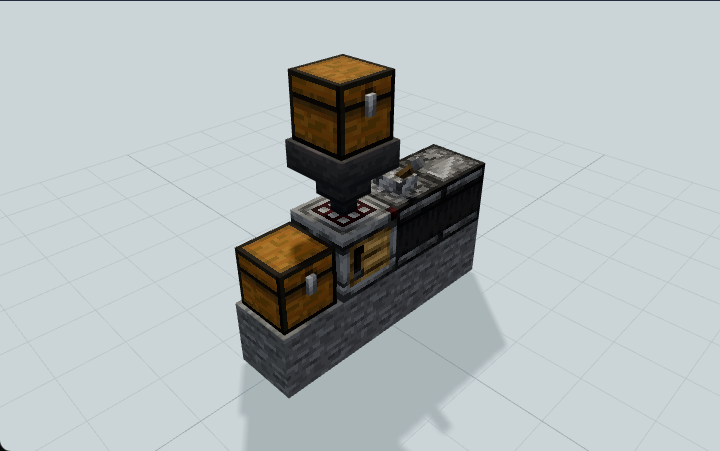
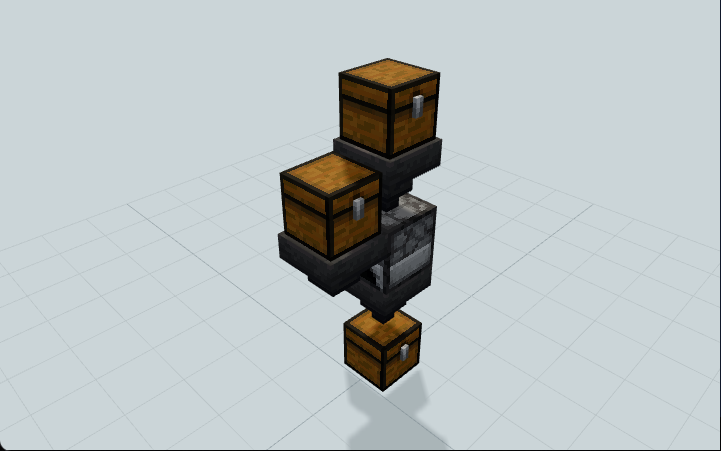
Four manually stocked furnace lanes feed an automatic sorter with separate iron, gold, glass and copper chests. Useful for organized survival storage.
WorldEdit .schem available. No native .litematic file for this build.
Minecraft Java Edition · Sponge .schem
Verification details
Artifact acceptance recorded. Environment: Minecraft Java 26.3 and WorldEdit 7.4.6. Evidence.
Accepted artifact SHA-256:
72db16d2f06d1900138dfd2fe733ed9f9fb25ace562a3b26754f267dc7a88741This record describes the specific accepted artifact and environment; it does not by itself establish general Minecraft compatibility.
A 3D preview shows appearance, not game behavior. Bedrock conversion and Litematica compatibility are not verified unless separately recorded.
Artifact acceptance recorded for: Minecraft Java 26.3 + WorldEdit 7.4.6.
Setup / behavior: Manually stock four recipe/fuel lanes; products sort automatically. Maintainer functional smoke passed; hopper-standing access reached the adjacent chest pair. Optional ladder/scaffolding is player-provided, not separately tested. Lab evidence covers two inputs per lane/one coal; other versions, larger loads and reload/rotation are unverified.
3D Preview
Installation and Quick Start
Manually stock four furnace lanes; iron, gold, glass and copper automatically reach separate outputs. Use the existing hopper standing area for elevated loading.
- 1
Import the exact file
Use Java 26.3 + Fabric WorldEdit 7.4.6. Clear 48×9×4 blocks and keep chunks ticking. Load four-lane-smelting-sorter.schem and paste once. Verify the supplied SHA before importing.
- 2
Upper chest access
Inputs are y=8 and fuel y=7. Stand on the existing hopper platform to load them. Optionally bring a ladder or scaffolding to reach that standing area. Keep lids clear and do not disturb the circuit.
- 3
Iron lane
Put 2 raw iron in (0,8,0) and 1 coal in (1,7,0). Two iron ingots should reach output A at (17,1,1). Coordinates are relative to the schematic origin.
- 4
Gold lane
Put 2 raw gold in (3,8,0) and 1 coal in (4,7,0). Two gold ingots should reach output B at (25,1,1).
- 5
Glass lane
Put 2 sand in (6,8,0) and 1 coal in (7,7,0). Two glass should reach output C at (33,1,1).
- 6
Copper lane
Put 2 raw copper in (9,8,0) and 1 coal in (10,7,0). Two copper ingots should reach output D at (41,1,1). Raw materials and fuel are stocked manually.
- 7
Wait and collect
Allow up to the tested 850 game ticks. Collect only from the four output chests. Shared chest (12,5,1) feeds the sorter automatically; overflow (42,4,1) should stay empty for this batch.
- 8
Blocked output and reset
Free space in a full output and leave the machine ticking. The tested two-glass blockage recovered after 400 more ticks. Use a fresh paste for a no-fuel test: furnaces can retain burn time after coal is removed.
Leave all 41-item filter reserves and the sticks named MinePilot Sorter Filler intact. Elevated loading is an accepted installation inconvenience; ladder/scaffolding is player-provided. Evidence covers two inputs per lane; a complete ladder route was not separately tested.
Build Facts
JSON fact sheet- Dimensions
- 48 x 9 x 4 blocks
- Compiled blocks
- 208
- Category
- redstone
- Updated
- Source
- original
- Author
- MinePilot
- Entities
- No entities
Curated by MinePilot from an original schematic. Canonical page: https://www.myminepilot.com/builds/four-material-smelting-sorted-storage
Materials
208 blocksPlaced block counts · stack equivalents, not crafting ingredients. Expand for exact BlockStates.
 Stone721×64 + 8
minecraft:stone× 72 Hopper661×64 + 2
minecraft:hopper[enabled=true,facing=east]× 46minecraft:hopper[enabled=true,facing=down]× 8minecraft:hopper[enabled=true,facing=west]× 8minecraft:hopper[enabled=true,facing=south]× 4 Redstone Dust4040 / 64 stack
minecraft:redstone_wire[east=side,north=none,power=0,south=none,west=side]× 40 Chest1313 / 64 stack
minecraft:chest× 9minecraft:chest[facing=south,type=single,waterlogged=false]× 4 Comparator44 / 64 stack
minecraft:comparator[facing=east,mode=compare,powered=false]× 4 Furnace44 / 64 stack
minecraft:furnace[facing=east,lit=false]× 4Redstone Torch44 / 64 stack
minecraft:redstone_wall_torch[facing=west,lit=true]× 4 Repeater44 / 64 stack
minecraft:repeater[delay=1,facing=west,locked=false,powered=false]× 4 Barrel11 / 64 stack
minecraft:barrel× 1Layer Guide
9 layersImport Guide
Java Edition- Download the protected
.schemfile for Four-Material Smelting & Sorted Storage. - Place it in your WorldEdit or Litematica schematics folder.
- Load the schematic in-game, preview placement, then paste or build layer by layer.
Finding related builds…