Compact Auto Crafter
Pack slimeballs into slime blocks with a controllable feed.
- Minecraft Java
- Sponge .schem · Litematica .litematic
- 4 × 1 plot · 4 high
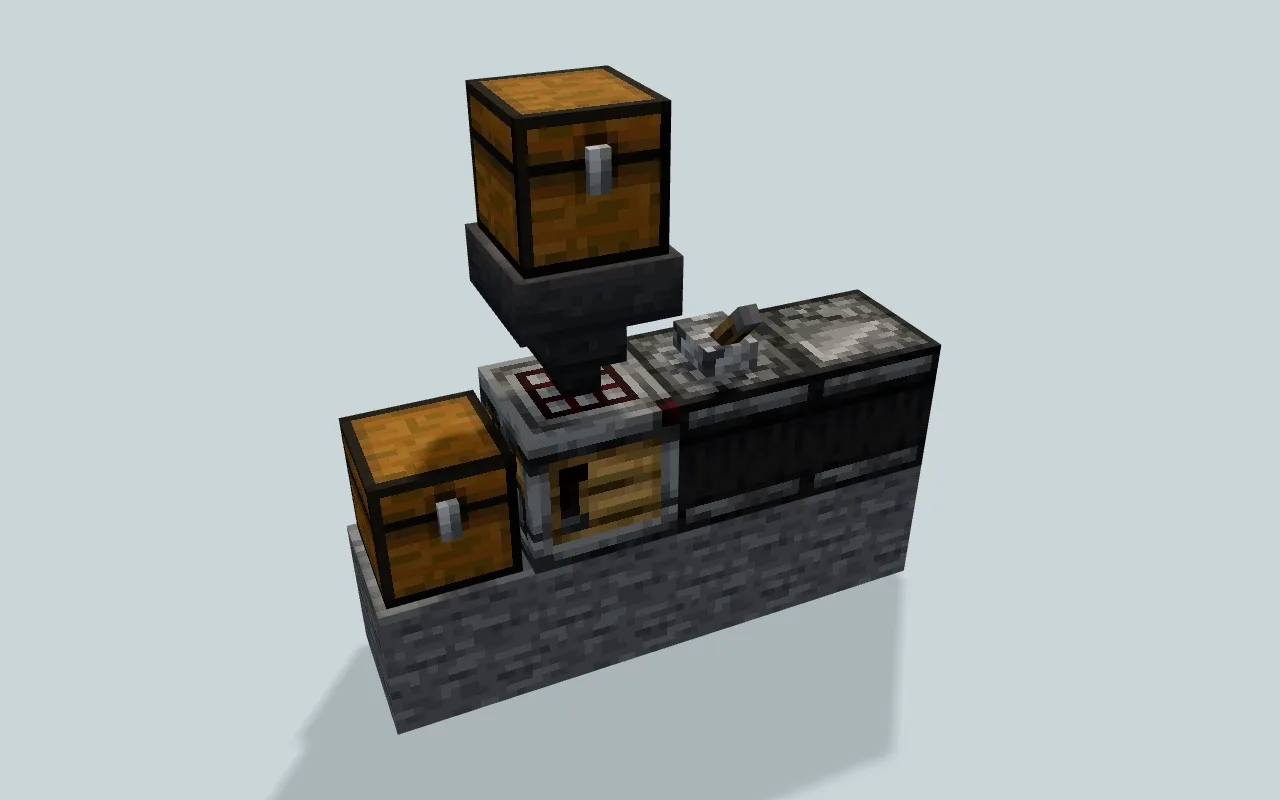
WorldEdit .schem selected. A native .litematic file is also available.
Redstone crafter
- Placed blocks
- 11
- Material families
- 6
Choose an available file, then follow the import guide below.

Interactive 3D
Orbit the model here. For spatial layer inspection, open the 3D Playground.
Pause the feed before loading
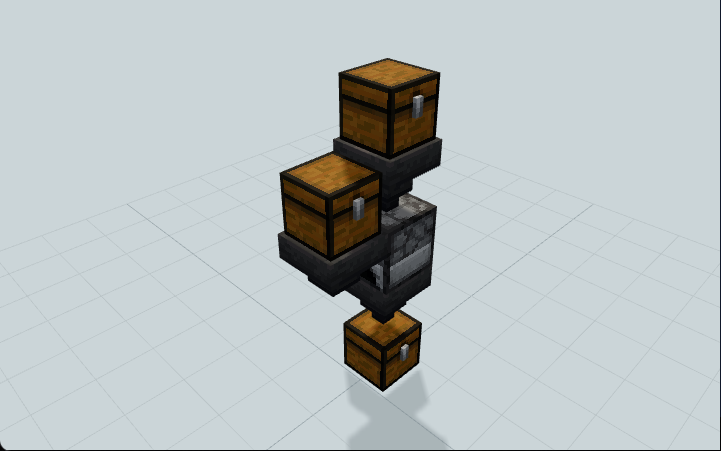
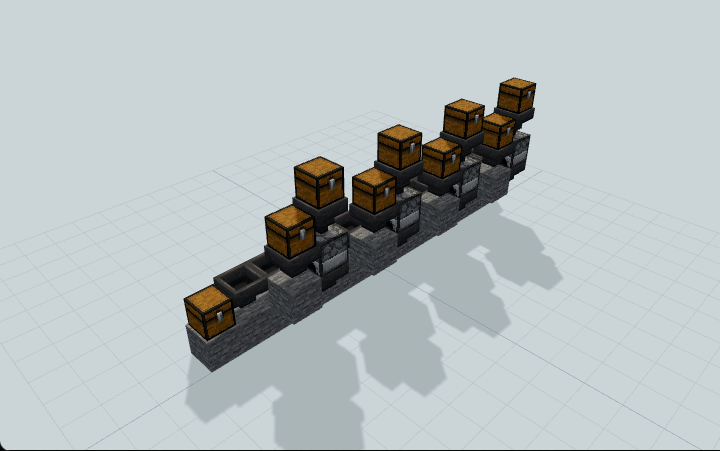
An upper input chest feeds a single crafter, while a lever beside the hopper pauses incoming items. This four-block-wide machine is configured for turning nine slimeballs into one slime block.
The input chest sits above the hopper and crafter. Two observers occupy the other end of the stone base, with the feed lever on top; the output chest is directly east of the crafter. The lever starts powered at PAUSE. Switch it to unpowered RUN after loading slimeballs.
Prior WorldEdit 7.4.6 testing in Minecraft Java 26.3 used this exact Sponge v3 schematic: 27 slimeballs produced three slime blocks, eight slimeballs produced none and remained in the machine, and returning to PAUSE held a new batch in the input. All nine crafter slots are enabled.
Fit and import
- Keep the supplied four-block stone base and allow room to reach the upper chest, lower output chest and lever. The schematic occupies 4 × 4 × 1 blocks.
- Use the existing Quick Start for WorldEdit placement and the slimeball recipe. The .schem stores DataVersion 5023; the page also retains its source-linked .litematic download option.
Choose an available file above and complete its protected download. Follow the import guide for your tool, start in a backup world and inspect the paste origin before placing the build.
PAUSE stops new hopper feed; a recipe already inside the crafter may finish. Other ingredients can form other vanilla recipes, but only slimeballs are verified here. The gallery shows the mechanism, not a running game or the contents of its inventories.
Tested with Minecraft Java 26.3 and WorldEdit 7.4.6.
Quick Start
Turns 9 slimeballs into 1 slime block. Load Input, switch RUN to feed the crafter, then collect Output.
- 1
Import and place
Use Java Edition 26.3 with WorldEdit 7.4.6. Load compact-auto-crafter.schem (Sponge v3, DataVersion 5023), stand at the bottom corner of a clear location, and paste.
- 2
Check pause
Keep the supplied 4×1 stone base on the ground. The feed lever starts powered at PAUSE; input will not move until you choose RUN.
- 3
Load slimeballs
Put up to 27 slimeballs in Input. Eight is insufficient and stays in the Crafter without producing a block. Use a fresh test with exactly 27 for three outputs.
- 4
Run the crafter
Flip the lever to RUN (unpowered). The hopper feeds the Crafter and the observer clock pulses each complete 3×3 recipe. Allow about 30 seconds for 27 slimeballs to craft 3 blocks.
- 5
Pause and collect
Flip the lever back to PAUSE (powered); a recipe already in the Crafter may finish. Collect slime blocks from Output, directly east and in front of the Crafter.
Evidence covers slimeballs only. The vanilla Crafter may accept other valid recipes; they are not verified here. If the input, output, or lever positions are unclear, report a usability issue with a screenshot.
Materials & layers
11 placed blocks across 6 material families. Counts group orientation and state variants; they are placed positions, not crafting recipes. Beds and doors occupy multiple positions.
| Material | Placed |
|---|---|
| Stone | 4 |
| Chest | 2 |
| Observer | 2 |
| Crafter | 1 |
| Hopper | 1 |
| Lever | 1 |
All 6 material families and exact states
Placed block counts · stack equivalents, not crafting ingredients. Expand for exact BlockStates.
 Stone44 / 64 stack
minecraft:stone× 4 Chest22 / 64 stack
minecraft:chest[facing=north,type=single,waterlogged=false]× 2 Observer22 / 64 stack
minecraft:observer[facing=east,powered=false]× 1minecraft:observer[facing=west,powered=false]× 1 Crafter11 / 64 stack
minecraft:crafter[crafting=false,orientation=east_up,triggered=false]× 1 Hopper11 / 64 stack
minecraft:hopper[enabled=true,facing=down]× 1 Lever11 / 64 stack
minecraft:lever[face=floor,facing=north,powered=true]× 1Layer overview · 4 of 4 occupied layers
Y is relative to the schematic. These are sampled material counts, not a spatial placement map. Use the 3D Playground for positions.
- Y=0: 4 placed blocks · Stone 4
- Y=1: 4 placed blocks · Observer 2, Chest 1, Crafter 1
- Y=2: 2 placed blocks · Hopper 1, Lever 1
- Y=3: 1 placed blocks · Chest 1