Tower Bridge Twin-Tower Study
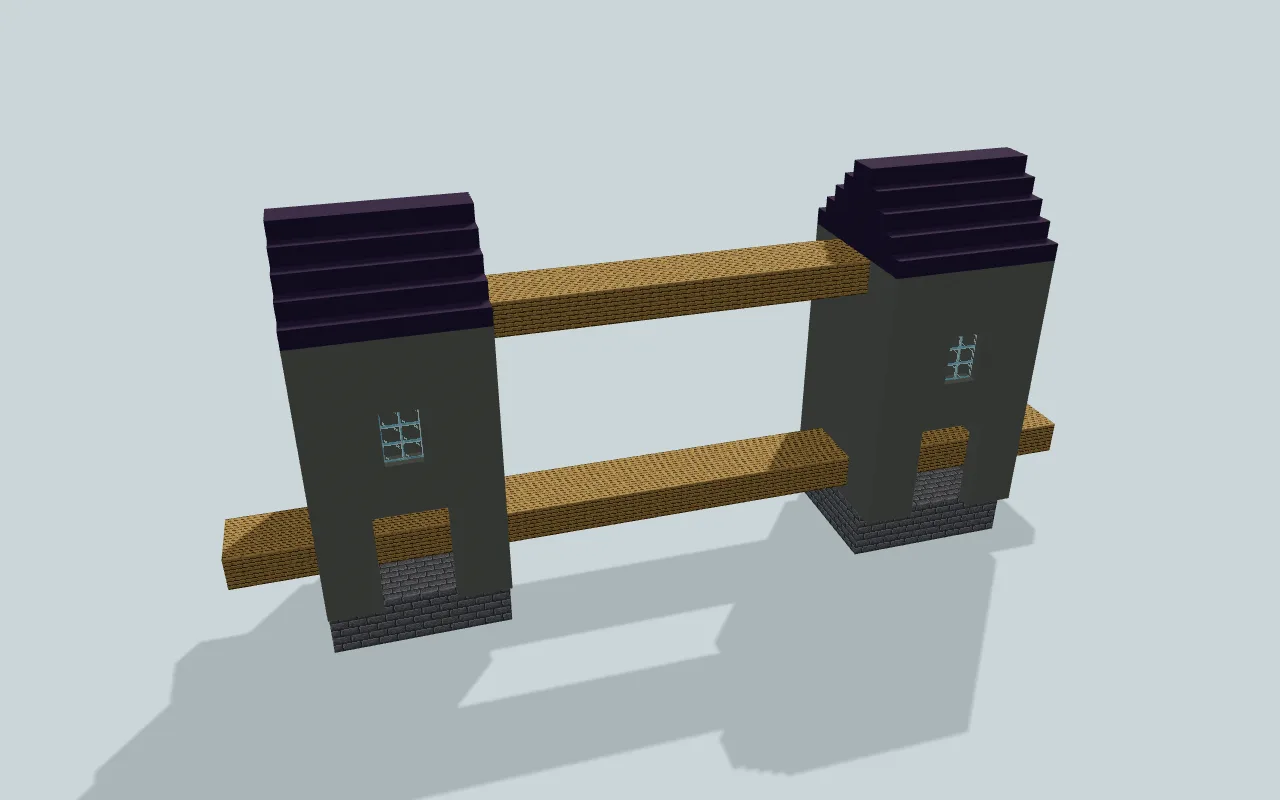
A small two-tower bridge composition with oak spans and stepped blue-terracotta roofs.
- Minecraft Java
- Sponge .schem
- 52 × 18 plot · 28 high
WorldEdit .schem available. No native .litematic file for this build.
Two-level bridge model
- Placed blocks
- 2,904
- Material families
- 5
Choose an available file, then follow the import guide below.

Interactive 3D
Orbit the model here. For spatial layer inspection, open the 3D Playground.
Spans through closed tower sides
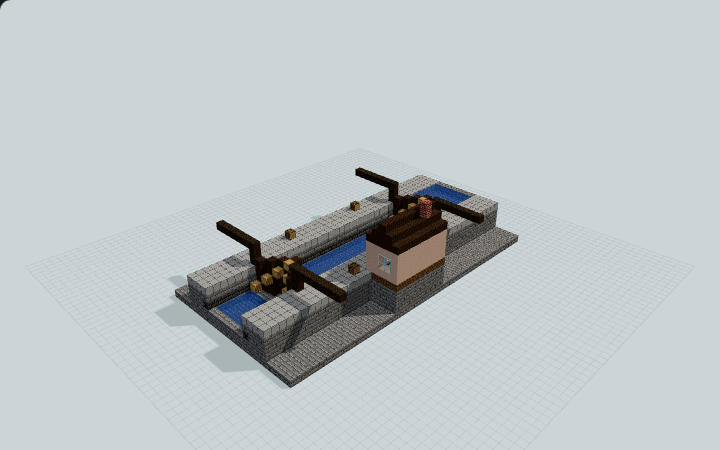
Two concrete towers on stone-brick piers are linked by lower and upper oak spans. Blue-terracotta roofs and small front windows give this compact bridge study its profile.
The lower span is four blocks wide and runs the full 52-block width of the selection. The upper span connects the towers higher up, but no stairs or ladders link the two levels.
Both towers have front-facing openings, perpendicular to the span. Their side walls remain across the bridge deck above floor height, so the model does not provide a continuous crossing through the towers.
Fit and import
- Reserve 52 × 28 × 18 blocks (width × height × length). Support both stone-brick piers and align the 52-block span with your intended crossing. Supply your own banks and water, then open the tower side walls and add safe deck edges and upper access before using it as a route.
- Download as Sponge .schem v2 for Minecraft Java. DataVersion 3463 is source metadata, not a tested-import guarantee.
Choose an available file above and complete its protected download. Follow the import guide for your tool, start in a backup world and inspect the paste origin before placing the build.
No water, lifting mechanism or continuous through-tower route is included. This is a simplified Tower Bridge-inspired model, not an operating bascule bridge.
Materials & layers
2,904 placed blocks across 5 material families. Counts group orientation and state variants; they are placed positions, not crafting recipes. Beds and doors occupy multiple positions.
| Material | Placed |
|---|---|
| Light Gray Concrete | 1,140 |
| Oak Planks | 672 |
| Blue Terracotta | 600 |
| Stone Bricks | 480 |
| Glass Pane | 12 |
All 5 material families and exact states
Placed block counts · stack equivalents, not crafting ingredients. Expand for exact BlockStates.
 Light Gray Concrete1,14017×64 + 52
minecraft:light_gray_concrete× 1,140 Oak Planks67210×64 + 32
minecraft:oak_planks× 672Blue Terracotta6009×64 + 24
minecraft:blue_terracotta× 600 Stone Bricks4807×64 + 32
minecraft:stone_bricks× 480 Glass Pane1212 / 64 stack
minecraft:glass_pane× 12Layer overview · 12 of 24 occupied layers
Y is relative to the schematic. These are sampled material counts, not a spatial placement map. Use the 3D Playground for positions.
- Y=0: 160 placed blocks · Stone Bricks 160
- Y=1: 160 placed blocks · Stone Bricks 160
- Y=2: 160 placed blocks · Stone Bricks 160
- Y=3: 64 placed blocks · Light Gray Concrete 64
- Y=4: 256 placed blocks · Oak Planks 208, Light Gray Concrete 48
- Y=5: 256 placed blocks · Oak Planks 208, Light Gray Concrete 48
- Y=6: 64 placed blocks · Light Gray Concrete 64
- Y=7: 64 placed blocks · Light Gray Concrete 64
- Y=8: 64 placed blocks · Light Gray Concrete 64
- Y=9: 72 placed blocks · Light Gray Concrete 72
- Y=10: 72 placed blocks · Light Gray Concrete 72
- Y=11: 72 placed blocks · Light Gray Concrete 72
12 additional occupied layers are omitted from this lightweight overview.