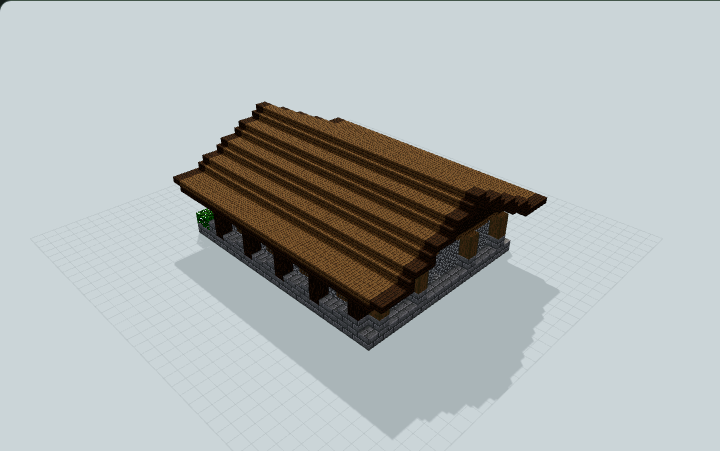
Split-Level Brewing Supply Room
A low brewing supply room separates a preparation floor from raised brewing counters, with ingredient and bottle storage beside a broad step, useful for manual survival potion preparation.
WorldEdit .schem available. No native .litematic file for this build.
3D Preview
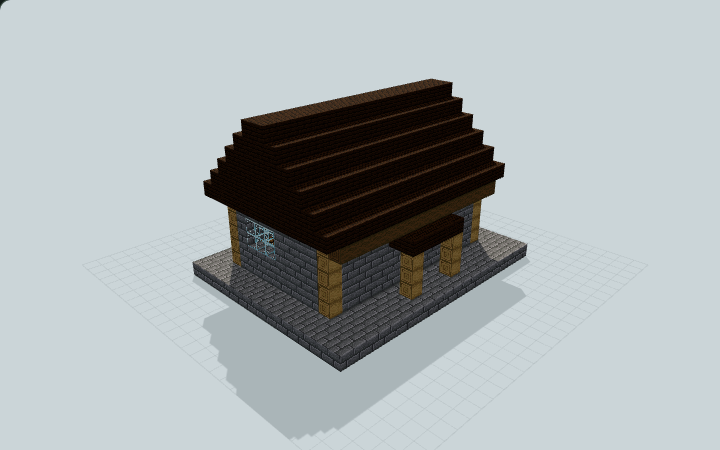 Loading 3D preview…
Minecraft Java Edition · Sponge .schem
Verification details
No revision-bound verification record is currently published for this build.
A 3D preview shows appearance, not game behavior. Bedrock conversion and Litematica compatibility are not verified unless separately recorded.
Prepare Potions Manually
A lower preparation floor and raised rear counters provide two manually supplied brewing positions.
- 1
Stock the preparation floor
Enter through the north door and load your own ingredients into the two west-side barrels. Use the nearby preparation bench by hand.
- 2
Reach the brewing counters
Climb the broad single rise onto the rear dais. Both empty brewing stands are supported on stone counters and reached from the clear aisle in front.
- 3
Supply water and bottles
Fill the empty cauldron and bottle barrels yourself, then fuel and operate each stand manually using normal Minecraft recipes.
No potions, bottles, fuel or inventories are included. No automatic brewing, NPC operation or native gameplay validation is claimed.
Build Facts
JSON fact sheet- Dimensions
- 19 x 12 x 15 blocks
- Compiled blocks
- 1,335
- Category
- other
- Updated
Curated by MinePilot from a CraftDAG component plan. Canonical page: https://www.myminepilot.com/builds/manual-brewing-supply-room
Materials
1,335 blocksPlaced block counts · stack equivalents, not crafting ingredients. Expand for exact BlockStates.
 Dark Oak Planks72911×64 + 25
minecraft:dark_oak_planks× 729 Stone Bricks4767×64 + 28
minecraft:stone_bricks× 476 Smooth Stone63Placed blocks
minecraft:smooth_stone× 63Stripped Oak Log2626 / 64 stack
minecraft:stripped_oak_log× 26Stripped Spruce Log1515 / 64 stack
minecraft:stripped_spruce_log× 15 Glass1212 / 64 stack
minecraft:glass× 12 Barrel44 / 64 stack
minecraft:barrel[facing=east,open=false]× 2minecraft:barrel[facing=north,open=false]× 2Torch33 / 64 stack
minecraft:wall_torch[facing=east]× 1minecraft:wall_torch[facing=north]× 1minecraft:wall_torch[facing=west]× 1Brewing Stand2Placed blocks
minecraft:brewing_stand[has_bottle_0=false,has_bottle_1=false,has_bottle_2=false]× 2Crafting Table22 / 64 stack
minecraft:crafting_table× 2 Spruce Door22 / 64 stack
minecraft:spruce_door[facing=north,half=lower,hinge=left]× 1minecraft:spruce_door[facing=north,half=upper,hinge=left]× 1Cauldron1Placed blocks
minecraft:cauldron× 1Layer Guide
12 layersImport Guide
Java Edition- Download the protected
.schemfile for Split-Level Brewing Supply Room. - Place it in your WorldEdit or Litematica schematics folder.
- Load the schematic in-game, preview placement, then paste or build layer by layer.
Finding related builds…