Azure Coil Dragon Sculpture
A large freestanding dragon for a creative-world exhibition.
- Minecraft Java
- Sponge .schem
- 94 × 46 plot · 64 high
WorldEdit .schem available. No native .litematic file for this build.
Decorative & Other
- Placed blocks
- 9,644
- Material families
- 5
Choose an available file, then follow the import guide below.

Interactive 3D
Orbit the model here. For spatial layer inspection, open the 3D Playground.
Give the coil room to be seen
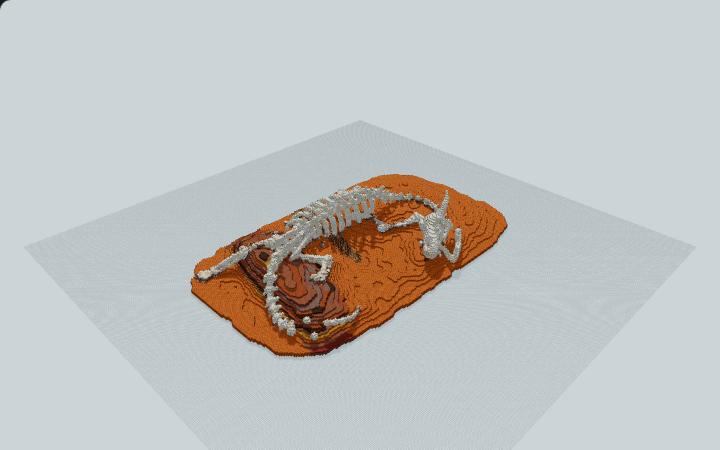
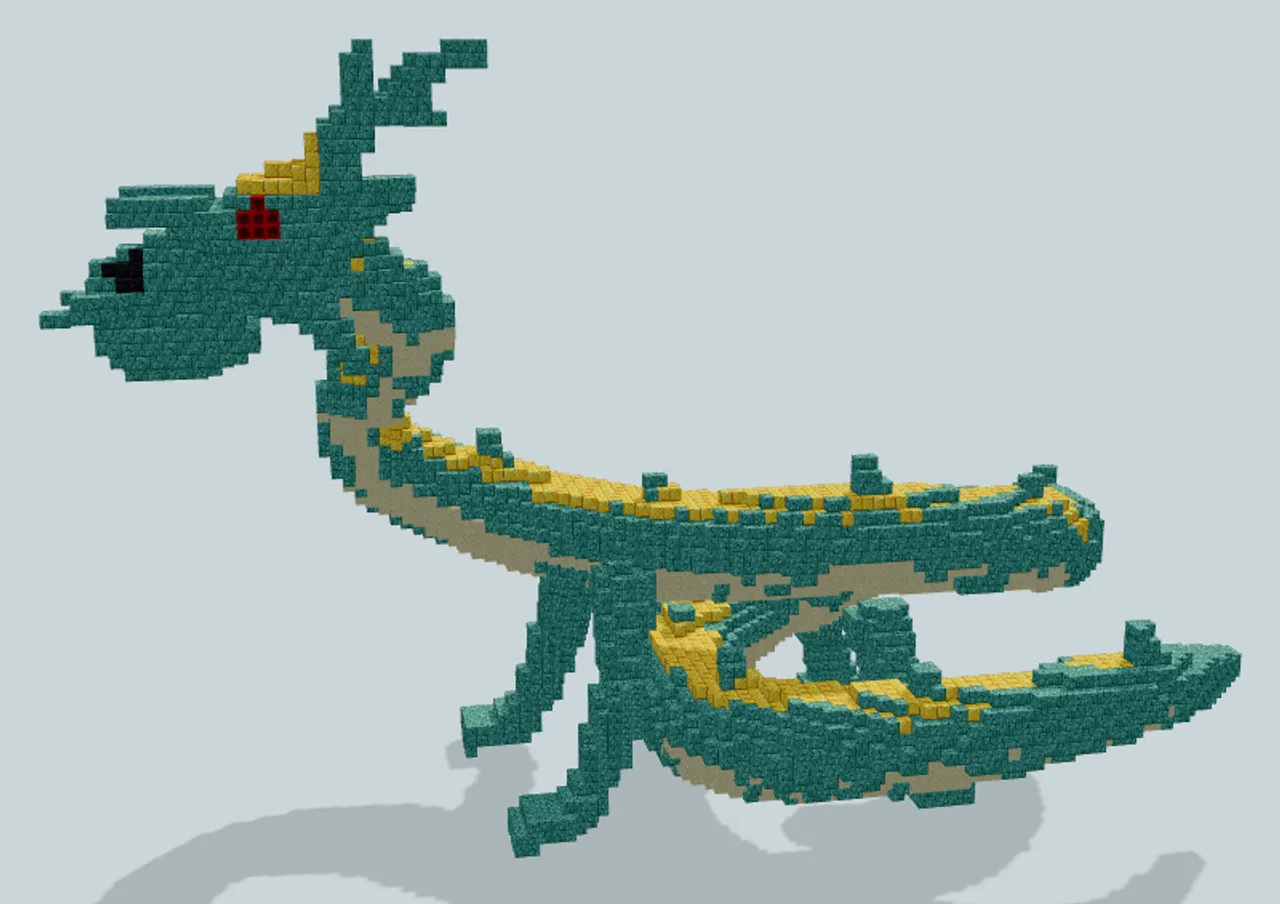
A raised antlered head leads into a long coiling body and tapered tail. Prismarine bricks, a sandstone underside and gold accents separate the dragon’s silhouette from the ground without relying on a building around it.
The side view follows the head, neck and extended tail, while the higher reverse view reveals the open loop inside the coil. Gold along the back and the pale underside help show which way the body turns when those parts overlap.
This is a sculpture, not a room or a ride. Its 94-block width and 64-block file height make it a focal object for a broad display area, and the long profile benefits from viewpoints on more than one side.
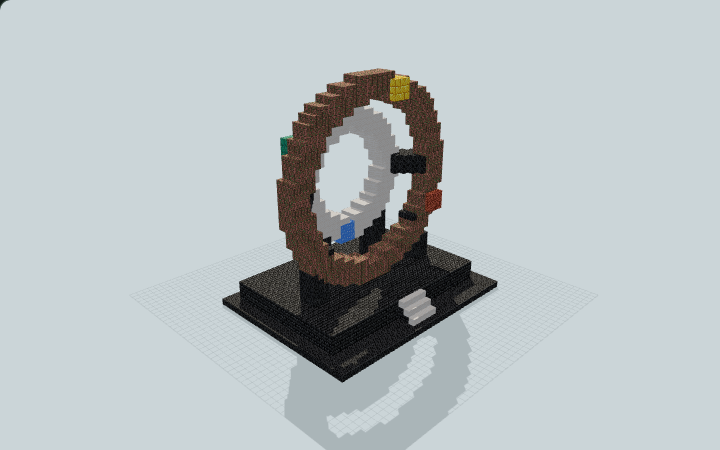
For a smaller freestanding exhibit, the Celestial Calendar Wheel Monument uses static vertical rings in a 35 × 27 footprint. Choose the dragon for an organic silhouette and long viewing distance, or the wheel for a more compact geometric centerpiece.
Human reviewed through MinePilot’s existing review workflow.
Fit and import
- Reserve the full 94 × 46 footprint and 64-block vertical envelope.
- Keep open sightlines beyond the head and tail rather than surrounding the sculpture with high walls.
- Use a separate viewing path outside the claw and tail extents if you want visitors to circle the exhibit.
Choose an available file above and complete its protected download. Follow the import guide for your tool, start in a backup world and inspect the paste origin before placing the build.
The dragon is a static block sculpture. The file supplies no visitor path, usable interior or moving mechanism; those exhibition features would be separate work.
Materials & layers
9,644 placed blocks across 5 material families. Counts group orientation and state variants; they are placed positions, not crafting recipes. Beds and doors occupy multiple positions.
| Material | Placed |
|---|---|
| Prismarine Bricks | 5,677 |
| Smooth Sandstone | 2,603 |
| Gold Block | 1,329 |
| Polished Blackstone | 18 |
| Redstone Block | 17 |
All 5 material families and exact states
Placed block counts · stack equivalents, not crafting ingredients. Expand for exact BlockStates.
 Prismarine Bricks5,67788×64 + 45
minecraft:prismarine_bricks× 5,677 Smooth Sandstone2,603Placed blocks
minecraft:smooth_sandstone× 2,603 Gold Block1,32920×64 + 49
minecraft:gold_block× 1,329 Polished Blackstone18Placed blocks
minecraft:polished_blackstone× 18Redstone Block1717 / 64 stack
minecraft:redstone_block× 17Layer overview · 12 of 64 occupied layers
Y is relative to the schematic. These are sampled material counts, not a spatial placement map. Use the 3D Playground for positions.
- Y=0: 62 placed blocks · Prismarine Bricks 62
- Y=1: 104 placed blocks · Prismarine Bricks 104
- Y=2: 91 placed blocks · Prismarine Bricks 91
- Y=3: 51 placed blocks · Prismarine Bricks 51
- Y=4: 135 placed blocks · Smooth Sandstone 85, Prismarine Bricks 50
- Y=5: 196 placed blocks · Smooth Sandstone 139, Prismarine Bricks 57
- Y=6: 229 placed blocks · Smooth Sandstone 157, Prismarine Bricks 72
- Y=7: 234 placed blocks · Smooth Sandstone 159, Prismarine Bricks 75
- Y=8: 268 placed blocks · Prismarine Bricks 138, Smooth Sandstone 130
- Y=9: 280 placed blocks · Prismarine Bricks 157, Smooth Sandstone 123
- Y=10: 321 placed blocks · Prismarine Bricks 223, Smooth Sandstone 98
- Y=11: 387 placed blocks · Prismarine Bricks 279, Smooth Sandstone 108
52 additional occupied layers are omitted from this lightweight overview.