Saint Basil’s Cathedral
Explore a Red Square landmark
- Minecraft Java
- Sponge .schem
- 92 × 86 plot · 77 high
WorldEdit .schem available. No native .litematic file for this build.
Landmark
- Placed blocks
- 52,743
- Material families
- 25
Choose an available file, then follow the import guide below.


Interactive 3D
Orbit the model here. For spatial layer inspection, open the 3D Playground.
From the lower passage to Trinity Chapel
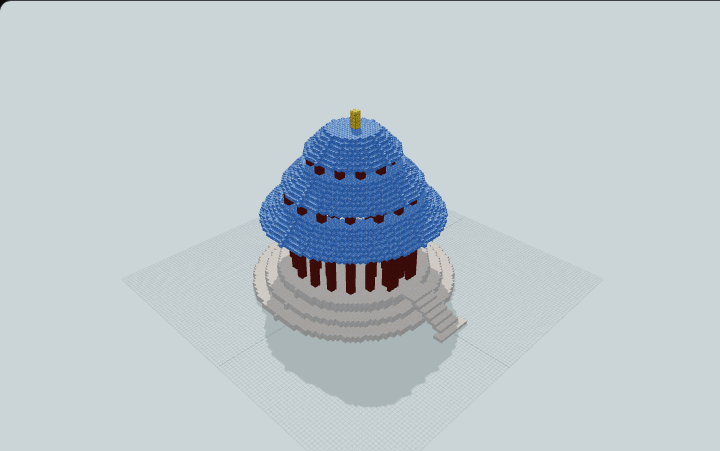
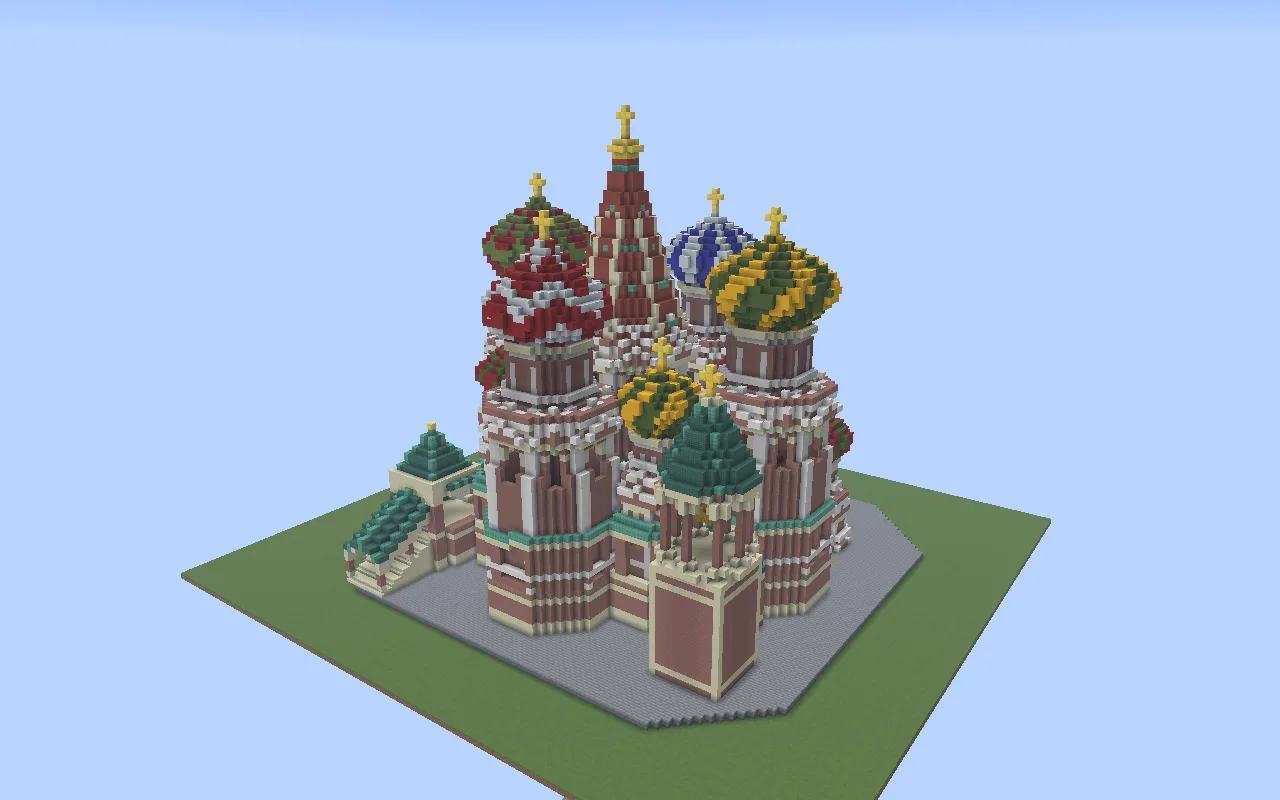
Patterned onion domes surround a tall central tent in this Minecraft interpretation of Saint Basil’s Cathedral on Moscow’s Red Square. A ground-level entrance leads to the lower passage, an internal sandstone staircase and the upper gallery.
The build draws on the Cathedral of the Intercession, erected in the sixteenth century. Red brick towers carry nine differently patterned crowns. Two covered stair porches face west, and an open-sided bell stage rises at the southeast corner.
Follow the sandstone stairs to the upper gallery, then cross to the Trinity Chapel room with its patterned floor and warm side lights. The gallery also leads back to the covered west stairs. Flush floor lights mark the lower passage and the main cross-gallery.
Human reviewed through MinePilot’s existing review workflow.
Fit and import
- Allow a flat 92 × 86-block footprint and 77 blocks of vertical space. Leave additional clearance around the north entrance and the two west stairs, and bring the surrounding paths level with the paved base.
- In Minecraft Java Edition, back up the destination world and put the Sponge .schem in your WorldEdit schematics folder. Load it with //schem load and paste it into the cleared footprint. Check the approaches before building paths out from them.
Choose an available file above and complete its protected download. Follow the import guide for your tool, start in a backup world and inspect the paste origin before placing the build.
The walkthrough covers the lower passage, upper gallery, Trinity Chapel room and both west stair flights. The other chapel towers, domes and bell stage are architectural features. Check lighting beyond the walked route before using the site in a Survival world.
Tested with Minecraft Java 26.3 and WorldEdit 7.4.6.
Place and explore
Place the cathedral on a flat site with room around the north entrance and the two covered west stairs.
- 1
Prepare the site
Clear a 92 × 86-block footprint and leave 77 blocks of height. Set surrounding paths level with the cathedral’s paving.
- 2
Import with WorldEdit
Back up your Java world. Put the Sponge .schem in the WorldEdit schematics folder, run //schem load <name>, and paste into the cleared site.
- 3
Walk to Trinity Chapel
Use the north ground entrance, follow the lower passage and take the internal sandstone stairs. Cross the upper gallery to Trinity Chapel and exit via a covered west stair porch.
The tested route uses an isolated flat site. Check lighting in other areas and along your own approach paths.
Materials & layers
52,743 placed blocks across 25 material families. Counts group orientation and state variants; they are placed positions, not crafting recipes. Beds and doors occupy multiple positions.
| Material | Placed |
|---|---|
| Bricks | 15,060 |
| Smooth Sandstone | 11,831 |
| Stone Bricks | 6,408 |
| Quartz Block | 6,163 |
| Polished Granite | 2,519 |
| Red Concrete | 1,867 |
All 25 material families and exact states
Placed block counts · stack equivalents, not crafting ingredients. Expand for exact BlockStates.
 Bricks15,060235×64 + 20
minecraft:bricks× 15,060 Smooth Sandstone11,831Placed blocks
minecraft:smooth_sandstone× 11,831 Stone Bricks6,408100×64 + 8
minecraft:stone_bricks× 6,408 Quartz Block6,16396×64 + 19
minecraft:quartz_block× 6,163 Polished Granite2,519Placed blocks
minecraft:polished_granite× 2,519 Red Concrete1,86729×64 + 11
minecraft:red_concrete× 1,867Green Concrete1,74127×64 + 13
minecraft:green_concrete× 1,741 Dark Prismarine1,335Placed blocks
minecraft:dark_prismarine× 1,335Yellow Concrete1,05716×64 + 33
minecraft:yellow_concrete× 1,057 Red Terracotta99115×64 + 31
minecraft:red_terracotta× 991 White Concrete92914×64 + 33
minecraft:white_concrete× 929Oxidized Cut Copper912Placed blocks
minecraft:oxidized_cut_copper× 912Lime Terracotta83613×64 + 4
minecraft:lime_terracotta× 836Blue Concrete5368×64 + 24
minecraft:blue_concrete× 536 Terracotta1862×64 + 58
minecraft:terracotta× 186Smooth Sandstone Stairs1492×64 + 21
minecraft:smooth_sandstone_stairs[facing=south,half=bottom,shape=straight,waterlogged=false]× 86minecraft:smooth_sandstone_stairs[facing=north,half=bottom,shape=straight,waterlogged=false]× 63 Gold Block1081×64 + 44
minecraft:gold_block× 108Polished Diorite47Placed blocks
minecraft:polished_diorite× 47Stripped Dark Oak Log1717 / 64 stack
minecraft:stripped_dark_oak_log× 17Yellow Terracotta1414 / 64 stack
minecraft:yellow_terracotta× 14Ochre Froglight12Placed blocks
minecraft:ochre_froglight× 12Raw Gold Block1111 / 64 stack
minecraft:raw_gold_block× 11Yellow Stained Glass99 / 64 stack
minecraft:yellow_stained_glass× 9 Dark Oak Log33 / 64 stack
minecraft:dark_oak_log× 3Chiseled Bookshelf2Placed blocks
minecraft:chiseled_bookshelf× 2Layer overview · 12 of 76 occupied layers
Y is relative to the schematic. These are sampled material counts, not a spatial placement map. Use the 3D Playground for positions.
- Y=0: 6408 placed blocks · Stone Bricks 6408
- Y=1: 3553 placed blocks · Smooth Sandstone 3237, Bricks 275, Quartz Block 16, Smooth Sandstone Stairs 14
- Y=2: 840 placed blocks · Smooth Sandstone 684, Bricks 119, Quartz Block 16, Smooth Sandstone Stairs 12
- Y=3: 809 placed blocks · Bricks 400, Smooth Sandstone 328, Quartz Block 60, Smooth Sandstone Stairs 12
- Y=4: 762 placed blocks · Bricks 433, Smooth Sandstone 292, Quartz Block 16, Smooth Sandstone Stairs 12
- Y=5: 765 placed blocks · Bricks 384, Smooth Sandstone 344, Quartz Block 16, Smooth Sandstone Stairs 12
- Y=6: 797 placed blocks · Smooth Sandstone 616, Bricks 160, Smooth Sandstone Stairs 21
- Y=7: 3303 placed blocks · Polished Granite 2519, Bricks 440, Smooth Sandstone 246, Polished Diorite 47
- Y=8: 1219 placed blocks · Bricks 735, Smooth Sandstone 273, Quartz Block 167, Dark Prismarine 24
- Y=9: 1174 placed blocks · Bricks 865, Quartz Block 195, Smooth Sandstone 66, Dark Prismarine 24
- Y=10: 1143 placed blocks · Quartz Block 596, Bricks 447, Dark Prismarine 50, Smooth Sandstone 26
- Y=11: 1154 placed blocks · Bricks 854, Quartz Block 193, Dark Prismarine 56, Smooth Sandstone 25
64 additional occupied layers are omitted from this lightweight overview.
Advertisement