Two-Level Village Grade-Link Square
Connect three village street ends without turning the raised space into a dead end.
- Minecraft Java
- Sponge .schem · Litematica .litematic
- 35 × 35 plot · 7 high
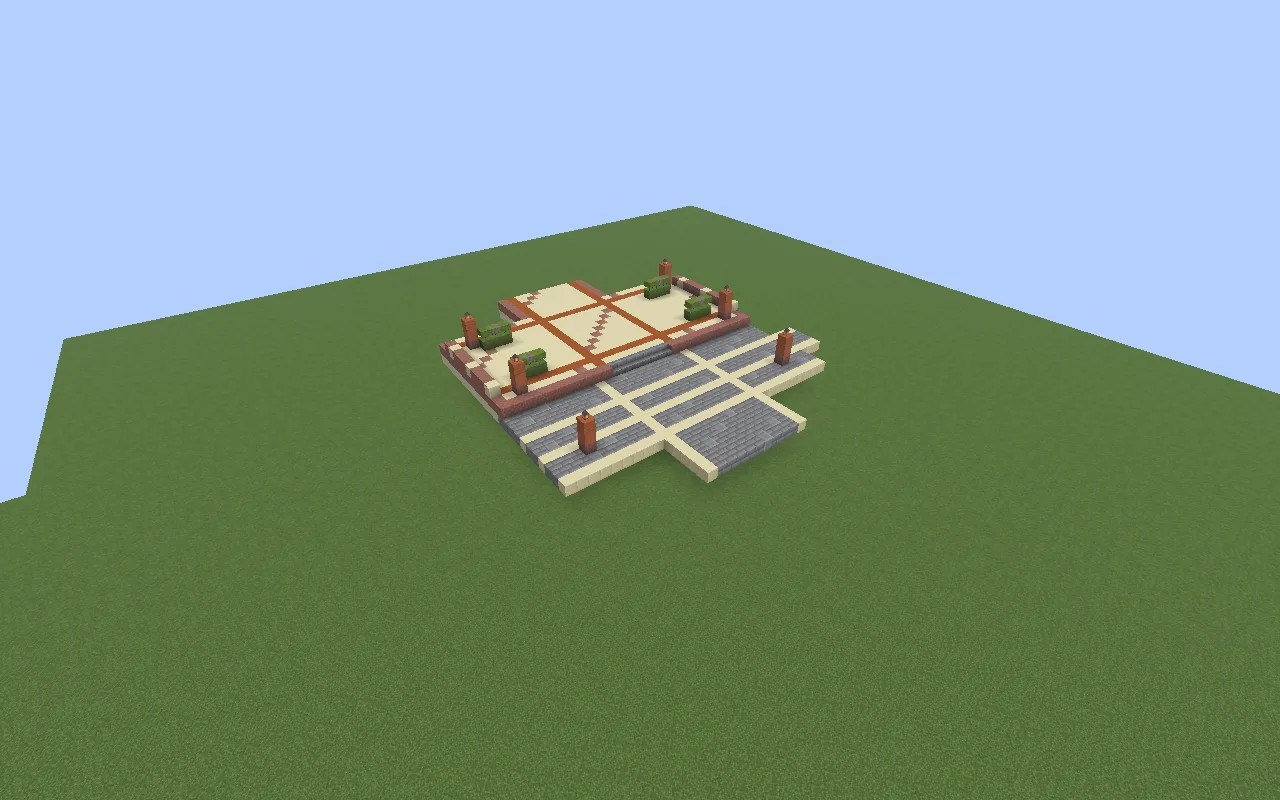
WorldEdit .schem selected. A native .litematic file is also available.
Village grade-link square
- Placed blocks
- 1,369
- Material families
- 14


Interactive 3D
Connect the low and high streets
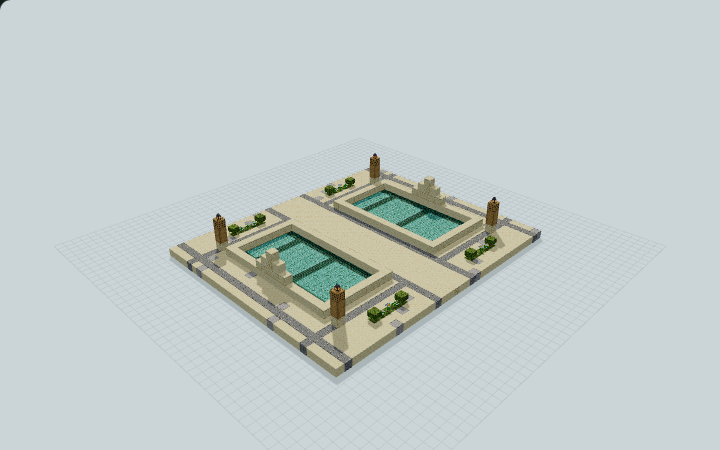
Enter from the low north or west path and cross the square to a broad stair. The higher terrace leads through to a separate south approach.
Pale paving and bands of terracotta mark the upper terrace, while the lower paths use gray stone. Fixed planting and lanterns sit to the sides of the main crossing.
The built-in stair takes the walking surface up by one block. North and west meet at the same low grade, and the raised path continues south instead of stopping at a lookout.
Human reviewed through MinePilot’s existing review workflow.
Fit and import
- Allow a stable dry 35 × 35 footprint and 7 blocks of height. Match the north and west low paths to block-floor Y=0, standing Y=1.
- Continue the high south path near local X12–22 at floor Y=1, standing Y=2. Leave the wide stair open. The adjoining streets and terrain are not supplied.
- The .litematic reproduces the same blocks and states in an independent parser. In Litematica, check the placement outline and align to the matching origin before building. A Litematica client import was not tested.
Choose an available file above and complete its protected download. Follow the import guide for your tool, start in a backup world and inspect the paste origin before placing the build.
The blueprint contains a dry two-grade square and its short approach ends. It does not grade surrounding terrain or include streets beyond the source footprint.
Advertisement
Materials & layers
1,369 placed blocks across 14 material families. Counts group orientation and state variants; they are placed positions, not crafting recipes. Beds and doors occupy multiple positions.
| Material | Placed |
|---|---|
| Smooth Sandstone | 736 |
| Stone Bricks | 238 |
| Cut Sandstone | 125 |
| Orange Terracotta | 88 |
| Bricks | 80 |
| Polished Andesite | 29 |
All 14 material families and exact states
Placed block counts · stack equivalents, not crafting ingredients. Expand for exact BlockStates.
 Smooth Sandstone736Placed blocks
minecraft:smooth_sandstone× 736 Stone Bricks2383×64 + 46
minecraft:stone_bricks× 238 Cut Sandstone125Placed blocks
minecraft:cut_sandstone× 125Orange Terracotta881×64 + 24
minecraft:orange_terracotta× 88 Bricks801×64 + 16
minecraft:bricks× 80 Polished Andesite29Placed blocks
minecraft:polished_andesite× 29 Polished Granite24Placed blocks
minecraft:polished_granite× 24 Moss Block1212 / 64 stack
minecraft:moss_block× 12Azalea8Placed blocks
minecraft:azalea× 8 Stone Brick Stairs77 / 64 stack
minecraft:stone_brick_stairs[facing=south,half=bottom,shape=straight,waterlogged=false]× 7 Acacia Planks66 / 64 stack
minecraft:acacia_planks× 6 Lantern66 / 64 stack
minecraft:lantern[hanging=false,waterlogged=false]× 6Stripped Acacia Log66 / 64 stack
minecraft:stripped_acacia_log[axis=y]× 6Flowering Azalea4Placed blocks
minecraft:flowering_azalea× 4Layer overview · 6 of 6 occupied layers
These sampled counts show materials by Y-level, relative to the schematic. For block positions, open Layers in the 3D Playground.
- Y=0: 829 placed blocks · Smooth Sandstone 443, Stone Bricks 238, Cut Sandstone 119, Polished Andesite 29
- Y=1: 474 placed blocks · Smooth Sandstone 293, Orange Terracotta 88, Bricks 62, Polished Granite 24
- Y=2: 38 placed blocks · Bricks 18, Moss Block 12, Cut Sandstone 6, Stripped Acacia Log 2
- Y=3: 18 placed blocks · Azalea 8, Flowering Azalea 4, Stripped Acacia Log 4, Acacia Planks 2
- Y=4: 6 placed blocks · Acacia Planks 4, Lantern 2
- Y=5: 4 placed blocks · Lantern 4