Seed Start Step and Control Plot Class
See both plots from one short step, then try one seed start on the marked plot.
- Minecraft Java
- Sponge .schem · Litematica .litematic
- 29 × 24 plot · 12 high
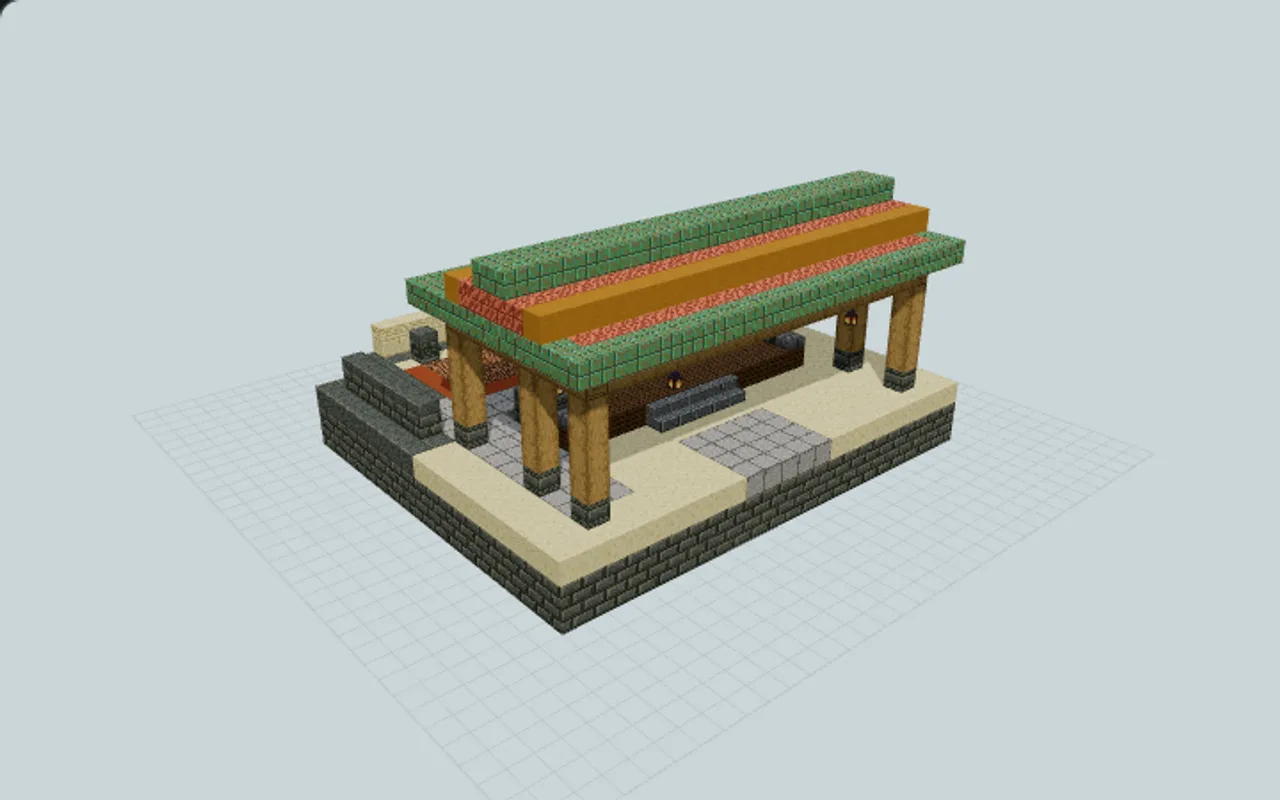
WorldEdit .schem selected. A native .litematic file is also available.
Seed-start demonstration class
- Placed blocks
- 2,072
- Material families
- 20


Interactive 3D
One seed-start trial and one control
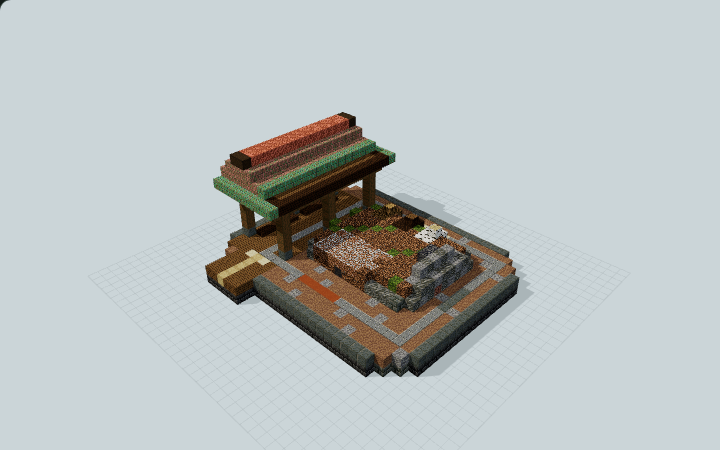
Step up under the canopy for a view of two small soil plots. Follow the lower aisle to plant on the orange-marked plot and leave the green-marked one unchanged for comparison.
The two small beds share the same level. The raised teaching edge sits behind them, and a separate ground aisle reaches both without walking on the soil.
Bring a hoe and your own wheat seed. Use the orange edge for the exercise and leave the green bed bare if you want a control. No irrigation system is included.
Human reviewed through MinePilot’s existing review workflow.
Fit and import
- Allow 29 × 12 × 24 blocks. Meet the south entry plane at local floor Y2 centered on X14. Keep the north yard, side aisle and teaching step clear.
- Use the original orientation and a non-air paste in a backup copy. The orange and green plots should both start with bare soil.
Choose an available file above and complete its protected download. Follow the import guide for your tool, start in a backup world and inspect the paste origin before placing the build.
No included tools, seeds, irrigation, growth timing or harvest claims. Litematica client import was not tested.
Tested with Minecraft Java 26.3 and WorldEdit 7.4.6.
Advertisement
Fit the teaching step and plots
See both plots from one short step, then try one seed start on the marked plot.
- 1
Align the south entry
Allow 29 × 12 × 24 blocks. Meet the south entry plane at local floor Y2 centered on X14. Keep the north yard, side aisle and teaching step clear.
- 2
Keep both soil plots clear
Use the original orientation and a non-air paste in a backup copy. The orange and green plots should both start with bare soil.
No included tools, seeds, irrigation, growth timing or harvest claims. Litematica client import was not tested.
Materials & layers
2,072 placed blocks across 20 material families. Counts group orientation and state variants; they are placed positions, not crafting recipes. Beds and doors occupy multiple positions.
| Material | Placed |
|---|---|
| Tuff Bricks | 974 |
| Waxed Cut Copper | 255 |
| Smooth Sandstone | 186 |
| Polished Tuff | 113 |
| Waxed Weathered Cut Copper | 102 |
| Stripped Oak Log | 93 |
All 20 material families and exact states
Placed block counts · stack equivalents, not crafting ingredients. Expand for exact BlockStates.
Tuff Bricks97415×64 + 14
minecraft:tuff_bricks× 974Waxed Cut Copper255Placed blocks
minecraft:waxed_cut_copper× 255 Smooth Sandstone186Placed blocks
minecraft:smooth_sandstone× 186Polished Tuff113Placed blocks
minecraft:polished_tuff× 113Waxed Weathered Cut Copper102Placed blocks
minecraft:waxed_weathered_cut_copper× 102Stripped Oak Log931×64 + 29
minecraft:stripped_oak_log[axis=x]× 51minecraft:stripped_oak_log[axis=y]× 24minecraft:stripped_oak_log[axis=z]× 18 Smooth Stone90Placed blocks
minecraft:smooth_stone× 90Yellow Terracotta4242 / 64 stack
minecraft:yellow_terracotta× 42 Dirt4040 / 64 stack
minecraft:dirt× 40 Spruce Planks3939 / 64 stack
minecraft:spruce_planks× 39Polished Tuff Slab3232 / 64 stack
minecraft:polished_tuff_slab[type=bottom,waterlogged=false]× 32 Cut Sandstone29Placed blocks
minecraft:cut_sandstone× 29Green Terracotta1515 / 64 stack
minecraft:green_terracotta× 15Orange Terracotta1515 / 64 stack
minecraft:orange_terracotta× 15 Sandstone Slab1515 / 64 stack
minecraft:sandstone_slab[type=bottom,waterlogged=false]× 15Chiseled Tuff Bricks88 / 64 stack
minecraft:chiseled_tuff_bricks× 8 Lantern88 / 64 stack
minecraft:lantern× 4minecraft:lantern[hanging=true,waterlogged=false]× 4Chiseled Tuff7Placed blocks
minecraft:chiseled_tuff× 7Polished Andesite Stairs55 / 64 stack
minecraft:polished_andesite_stairs[facing=north,half=bottom,shape=straight,waterlogged=false]× 5 Stone Brick Slab44 / 64 stack
minecraft:stone_brick_slab[type=bottom,waterlogged=false]× 4Layer overview · 12 of 12 occupied layers
These sampled counts show materials by Y-level, relative to the schematic. For block positions, open Layers in the 3D Playground.
- Y=0: 473 placed blocks · Tuff Bricks 473
- Y=1: 473 placed blocks · Tuff Bricks 473
- Y=2: 473 placed blocks · Smooth Sandstone 186, Polished Tuff 113, Smooth Stone 90, Dirt 40
- Y=3: 102 placed blocks · Spruce Planks 39, Tuff Bricks 28, Cut Sandstone 15, Chiseled Tuff 7
- Y=4: 59 placed blocks · Polished Tuff Slab 32, Sandstone Slab 15, Stripped Oak Log 6, Stone Brick Slab 4
- Y=5: 8 placed blocks · Stripped Oak Log 6, Lantern 2
- Y=6: 6 placed blocks · Stripped Oak Log 6
- Y=7: 10 placed blocks · Stripped Oak Log 6, Lantern 4
- Y=8: 69 placed blocks · Stripped Oak Log 69
- Y=9: 231 placed blocks · Waxed Cut Copper 171, Waxed Weathered Cut Copper 60
- Y=10: 126 placed blocks · Waxed Cut Copper 84, Yellow Terracotta 42
- Y=11: 42 placed blocks · Waxed Weathered Cut Copper 42