Side-Serviced Single Exhibit Room
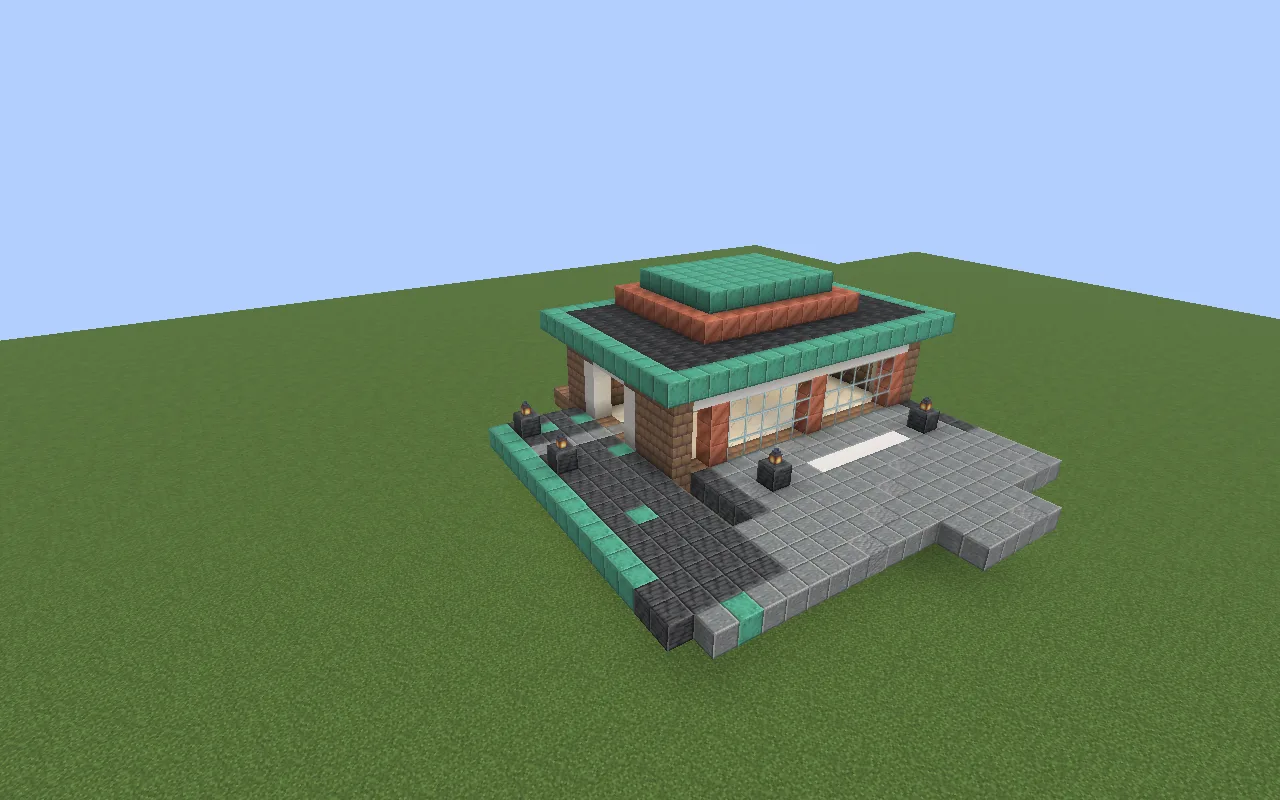
Show one object behind glass and use the separate side doorway to change the display.
- Minecraft Java
- Sponge .schem · Litematica .litematic
- 27 × 29 plot · 10 high
WorldEdit .schem selected. A native .litematic file is also available.
Single exhibit room with side access
- Placed blocks
- 1,021
- Material families
- 12


Interactive 3D
View from the front, change from the side
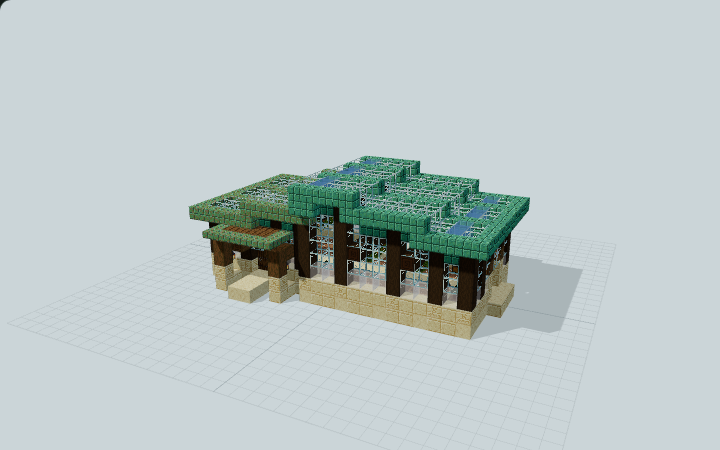
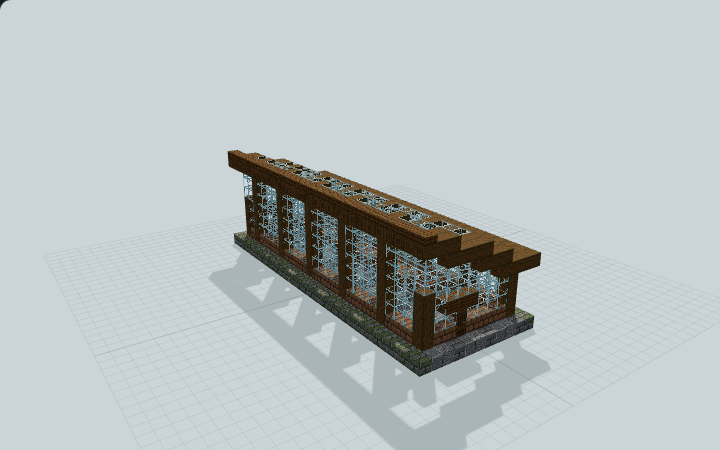
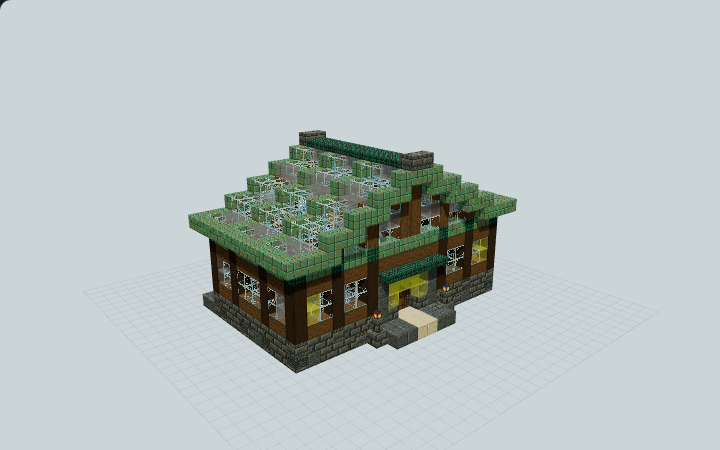
Look through the front glass to one blank display mount. To change the object, follow the east path and enter through the side opening.
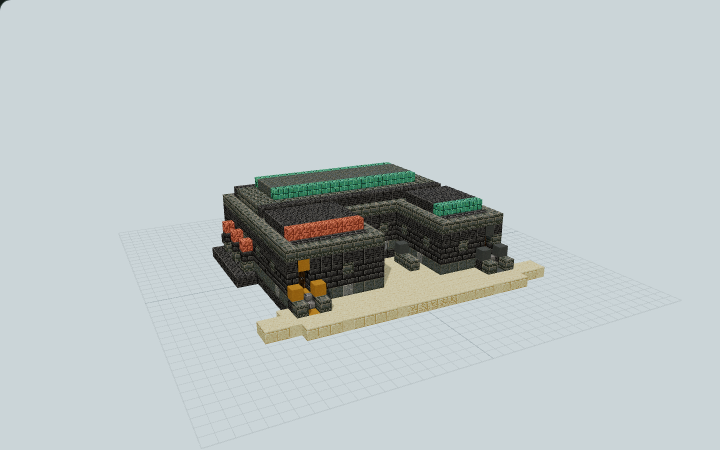
The short north approach faces the clear glass. The display mount is inside the room. A separate path turns east before the glass and leads to an open service doorway.
In Java 26.3 Survival, the public and side paths were walked on the installed build. A supplied item frame was placed on the mount, an amethyst shard was inserted and removed, then an echo shard was inserted in the same frame.
Human reviewed through MinePilot’s existing review workflow.
Fit and import
- Use a level supported footprint 27 blocks wide, 29 deep and 10 high. Align the north approach to local floor Y0, standing Y1, and keep the east side walkway and doorway clear. The WorldEdit paste was checked on a dry host in Java 26.3.
- Supply your own item frame and exhibit item. Approach through the east doorway and attach the frame to the north-facing central quartz mount at local X11, Y2, Z18. Change the item by hand when you need to.
- The .litematic reproduces the same blocks and states in an independent parser. In Litematica, check the placement outline and align to the matching origin before building. A Litematica client import was not tested.
Choose an available file above and complete its protected download. Follow the import guide for your tool, start in a backup world and inspect the paste origin before placing the build.
No frame, display items, locks, lighting controls or protection rules are supplied. The side doorway is open.
Advertisement
Materials & layers
1,021 placed blocks across 12 material families. Counts group orientation and state variants; they are placed positions, not crafting recipes. Beds and doors occupy multiple positions.
| Material | Placed |
|---|---|
| Mud Bricks | 263 |
| Deepslate Tiles | 208 |
| Smooth Quartz | 129 |
| Polished Andesite | 123 |
| Waxed Oxidized Copper | 123 |
| Polished Deepslate | 70 |
All 12 material families and exact states
Placed block counts · stack equivalents, not crafting ingredients. Expand for exact BlockStates.
Mud Bricks2634×64 + 7
minecraft:mud_bricks× 263 Deepslate Tiles208Placed blocks
minecraft:deepslate_tiles× 208 Smooth Quartz129Placed blocks
minecraft:smooth_quartz× 129 Polished Andesite123Placed blocks
minecraft:polished_andesite× 123Waxed Oxidized Copper123Placed blocks
minecraft:waxed_oxidized_copper× 123 Polished Deepslate70Placed blocks
minecraft:polished_deepslate× 70Waxed Copper Block4141 / 64 stack
minecraft:waxed_copper_block× 41 Glass3030 / 64 stack
minecraft:glass× 30Quartz Bricks1515 / 64 stack
minecraft:quartz_bricks× 15 Andesite13Placed blocks
minecraft:andesite× 13 Lantern44 / 64 stack
minecraft:lantern[hanging=false,waterlogged=false]× 4 Sea Lantern2Placed blocks
minecraft:sea_lantern× 2Layer overview · 8 of 8 occupied layers
These sampled counts show materials by Y-level, relative to the schematic. For block positions, open Layers in the 3D Playground.
- Y=0: 410 placed blocks · Polished Andesite 123, Smooth Quartz 96, Mud Bricks 93, Polished Deepslate 66
- Y=1: 69 placed blocks · Mud Bricks 41, Glass 10, Quartz Bricks 7, Polished Deepslate 4
- Y=2: 69 placed blocks · Mud Bricks 41, Glass 10, Smooth Quartz 7, Lantern 4
- Y=3: 65 placed blocks · Mud Bricks 43, Glass 10, Smooth Quartz 5, Quartz Bricks 4
- Y=4: 64 placed blocks · Mud Bricks 45, Smooth Quartz 17, Sea Lantern 2
- Y=5: 216 placed blocks · Deepslate Tiles 160, Waxed Oxidized Copper 56
- Y=6: 80 placed blocks · Deepslate Tiles 48, Waxed Copper Block 32
- Y=7: 48 placed blocks · Waxed Oxidized Copper 48