Compact Cobblestone Generator
Player-mined cobblestone generator with a built-in standing niche, piston push-out into a dry 4-hopper bay, and deep rear recess, built for Skyblock islands and early survival bases.
- Minecraft Java
- Sponge .schem · Litematica .litematic
- 6 × 7 plot · 6 high
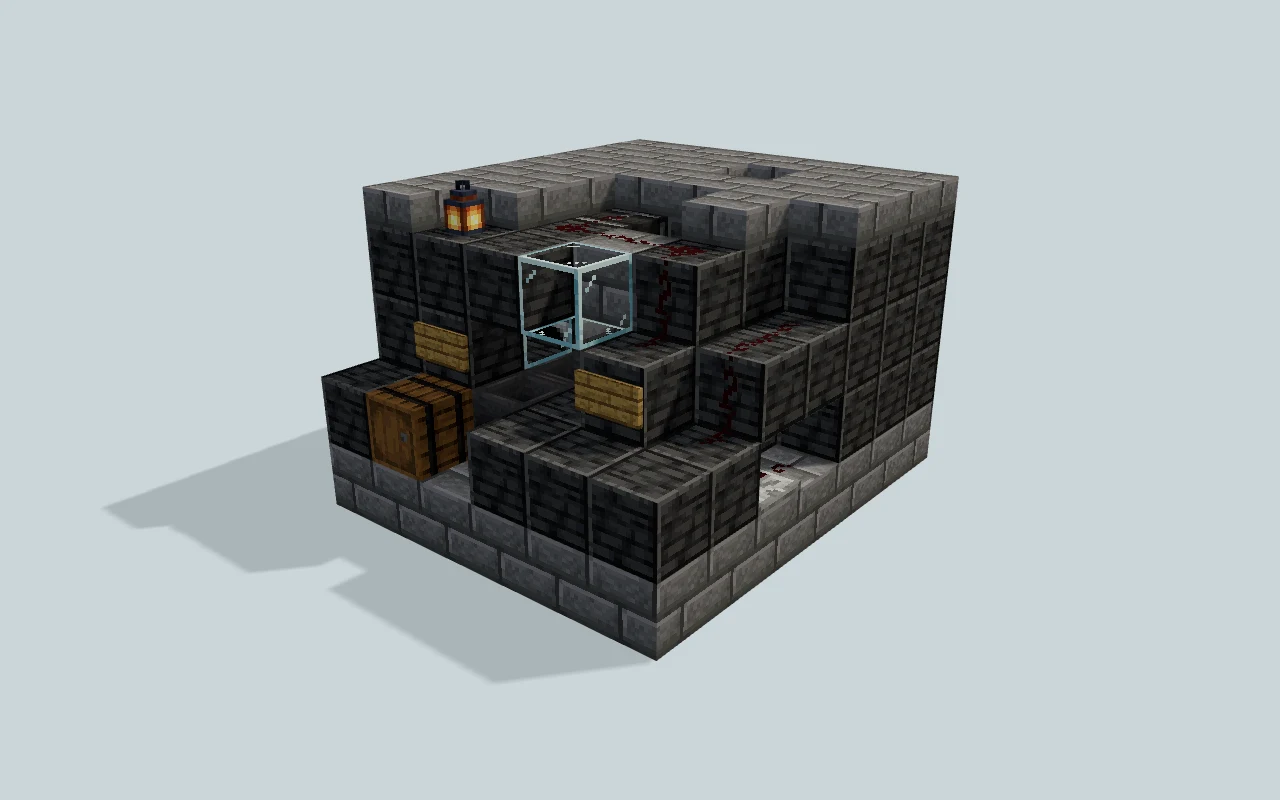
WorldEdit .schem selected. A native .litematic file is also available.
Redstone Utility
- Placed blocks
- 173
- Material families
- 15
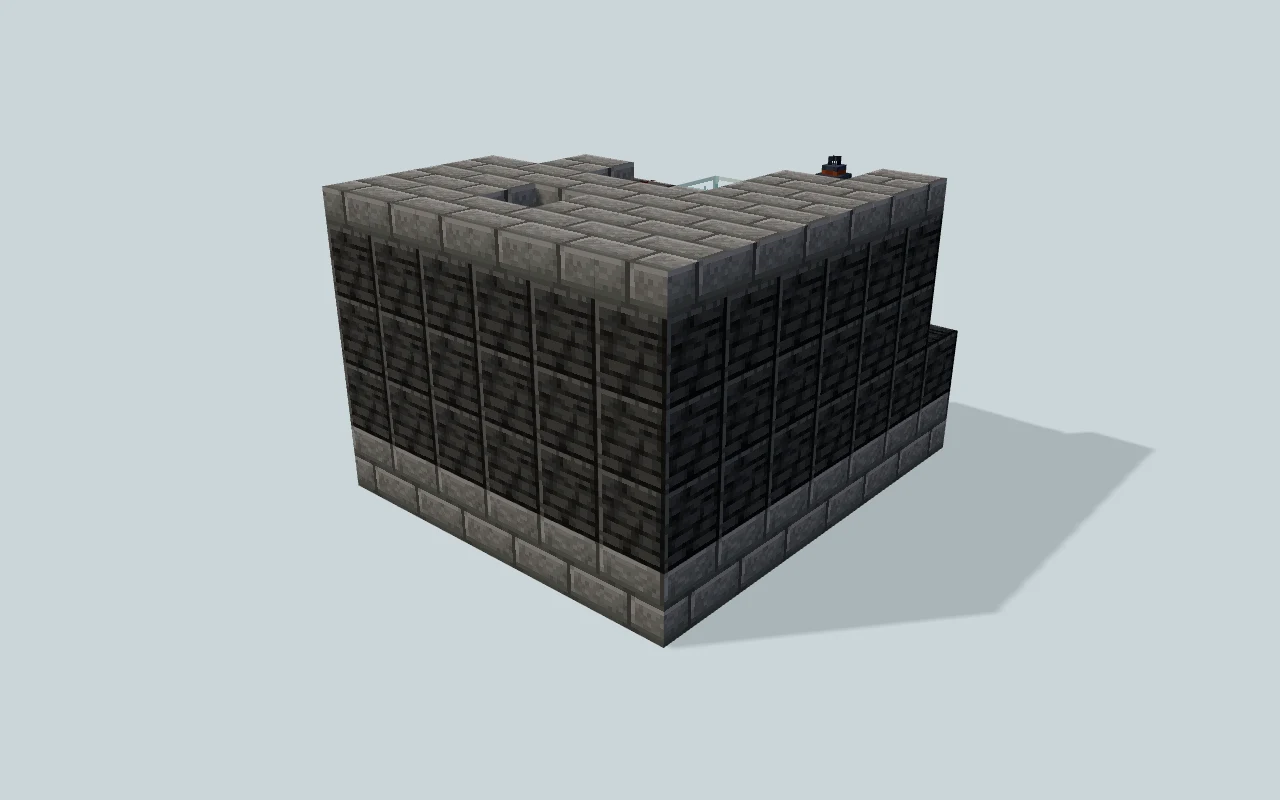
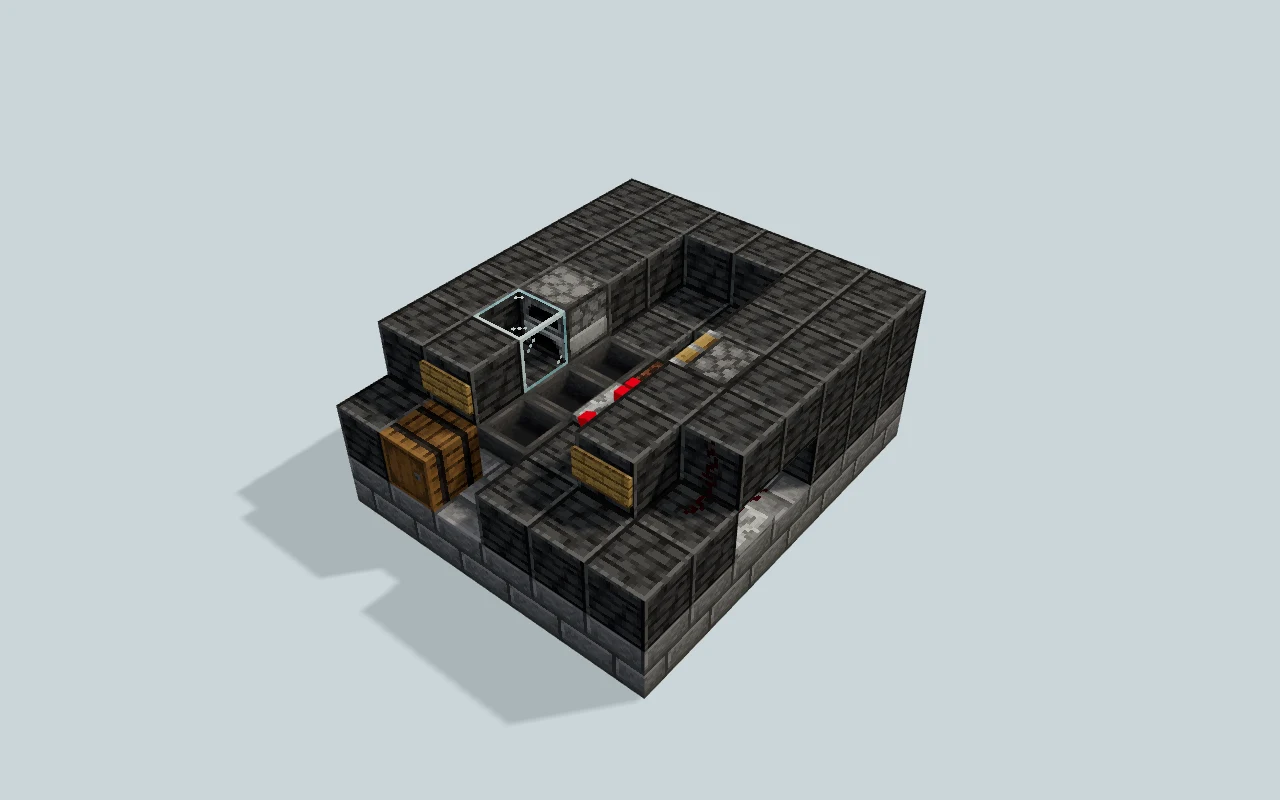

Interactive 3D
Installation & Quick Start
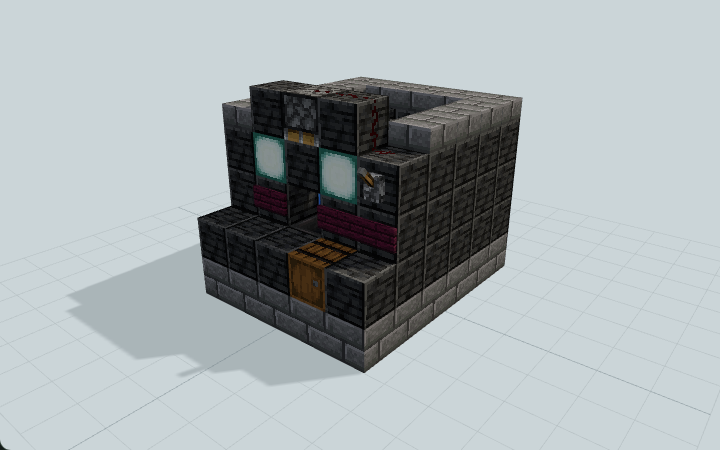
Add one water bucket and one lava bucket through the top rims, step into the center standing niche, and mine dry cobblestone into the front-left barrel.
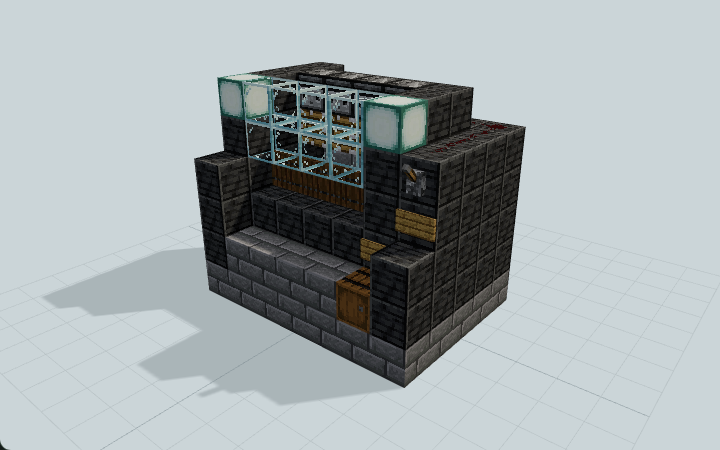
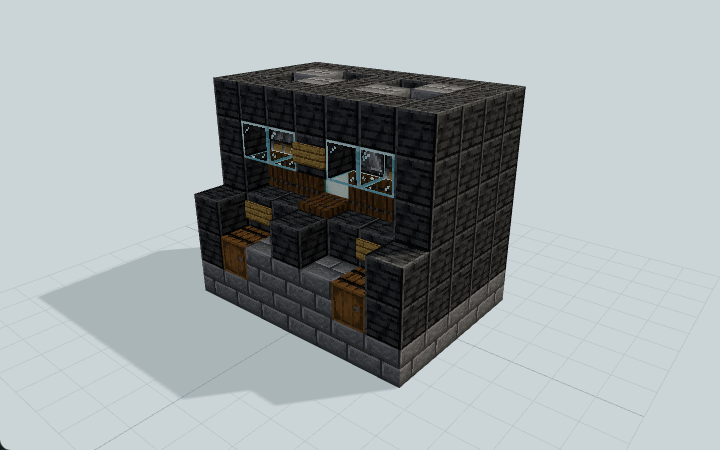
Dry-pasted player-mined cobblestone generator (not auto-mining). Pour 1 Water Bucket into the rear-right top rim first, then 1 Lava Bucket into the front-right top rim, step into the front standing niche, and mine the piston-fed dry block.
Delivered dry (zero water or lava in the schematic) for clean .schem and .litematic export. Requires player mining; standing in the built-in niche aligns eye height with the dry bay while keeping the rear wall beyond Survival reach.
Human reviewed through MinePilot’s existing review workflow.
Fit and import
- Pour Water First: From the top right side, pour 1 Water Bucket straight down the rear top rim (feeding the sealed 1-block water dip) so water fills the channel safely.
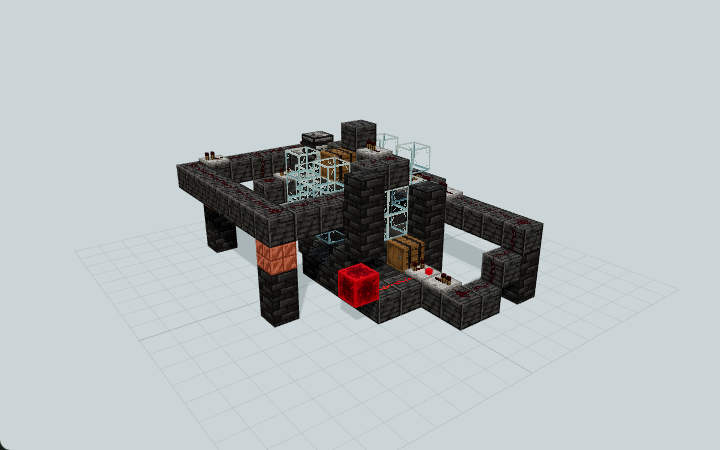
- Pour Lava Second: Pour 1 Lava Bucket into the front-right top rim in front of the stone-brick slab divider (behind the top redstone wire). A solid-block detector automatically pistons the first cobblestone into the center dry bay.
- Mine Dry & Collect: Step into the open front-center standing niche with any pickaxe and mine straight ahead. A downward observer feeds the next block in while four hoppers route drops to the front-left barrel.
Choose an available file above and complete its protected download. Follow the import guide for your tool, start in a backup world and inspect the paste origin before placing the build.
Player-mined repeatable cobblestone generator (manual pickaxe mining, not automatic mining). Delivered dry without water or lava; requires 1 water bucket and 1 lava bucket. Litematica client placement unverified (parser equivalence verified).
Tested with Minecraft Java 26.3 and WorldEdit 7.4.6.
Advertisement
Quick Start
Add one water bucket and one lava bucket through the top rims, step into the center standing niche, and mine dry cobblestone into the front-left barrel.
- 1
Pour Water First
From the top right side, pour 1 Water Bucket straight down the rear top rim (feeding the sealed 1-block water dip) so water fills the channel safely.
- 2
Pour Lava Second
Pour 1 Lava Bucket into the front-right top rim in front of the stone-brick slab divider (behind the top redstone wire). A solid-block detector automatically pistons the first cobblestone into the center dry bay.
- 3
Mine Dry & Collect
Step into the open front-center standing niche with any pickaxe and mine straight ahead. A downward observer feeds the next block in while four hoppers route drops to the front-left barrel.
Delivered dry (zero water or lava in the schematic) for clean .schem and .litematic export. Requires player mining; standing in the built-in niche aligns eye height with the dry bay while keeping the rear wall beyond Survival reach.
Materials & layers
173 placed blocks across 15 material families. Counts group orientation and state variants; they are placed positions, not crafting recipes. Beds and doors occupy multiple positions.
| Material | Placed |
|---|---|
| Polished Deepslate | 80 |
| Stone Bricks | 43 |
| Stone Brick Slab | 23 |
| Redstone Dust | 9 |
| Hopper | 4 |
| Glass | 2 |
All 15 material families and exact states
Placed block counts · stack equivalents, not crafting ingredients. Expand for exact BlockStates.
 Polished Deepslate80Placed blocks
minecraft:polished_deepslate× 80 Stone Bricks4343 / 64 stack
minecraft:stone_bricks× 43 Stone Brick Slab2323 / 64 stack
minecraft:stone_brick_slab[type=bottom,waterlogged=false]× 23 Redstone Dust99 / 64 stack
minecraft:redstone_wire[east=none,north=side,power=0,south=none,west=none]× 3minecraft:redstone_wire[east=none,north=none,power=0,south=up,west=none]× 2minecraft:redstone_wire[east=none,north=none,power=0,south=side,west=side]× 1minecraft:redstone_wire[east=none,north=side,power=0,south=side,west=none]× 1minecraft:redstone_wire[east=side,north=none,power=0,south=none,west=side]× 1minecraft:redstone_wire[east=side,north=side,power=0,south=none,west=none]× 1 Hopper44 / 64 stack
minecraft:hopper[enabled=true,facing=north]× 3minecraft:hopper[enabled=true,facing=east]× 1 Glass22 / 64 stack
minecraft:glass× 2Oak Wall Sign22 / 16 stack
minecraft:oak_wall_sign[facing=north,waterlogged=false]× 2 Observer22 / 64 stack
minecraft:observer[facing=down,powered=false]× 1minecraft:observer[facing=east,powered=false]× 1 Repeater22 / 64 stack
minecraft:repeater[delay=1,facing=north,locked=false,powered=true]× 1minecraft:repeater[delay=2,facing=south,locked=false,powered=false]× 1 Barrel11 / 64 stack
minecraft:barrel[facing=north,open=false]× 1 Furnace11 / 64 stack
minecraft:furnace[facing=north,lit=false]× 1 Lantern11 / 64 stack
minecraft:lantern[hanging=false,waterlogged=false]× 1Note Block11 / 64 stack
minecraft:note_block[instrument=harp,note=0,powered=false]× 1 Piston11 / 64 stack
minecraft:piston[extended=false,facing=east]× 1Redstone Torch11 / 64 stack
minecraft:redstone_wall_torch[facing=east,lit=true]× 1Layer overview · 5 of 5 occupied layers
These sampled counts show materials by Y-level, relative to the schematic. For block positions, open Layers in the 3D Playground.
- Y=0: 42 placed blocks · Stone Bricks 42
- Y=1: 40 placed blocks · Polished Deepslate 31, Hopper 4, Barrel 1
- Y=2: 30 placed blocks · Polished Deepslate 22, Oak Wall Sign 2, Redstone Torch 1, Redstone Dust 1
- Y=3: 33 placed blocks · Polished Deepslate 27, Redstone Dust 2, Glass 1
- Y=4: 28 placed blocks · Stone Brick Slab 23, Redstone Dust 2, Lantern 1