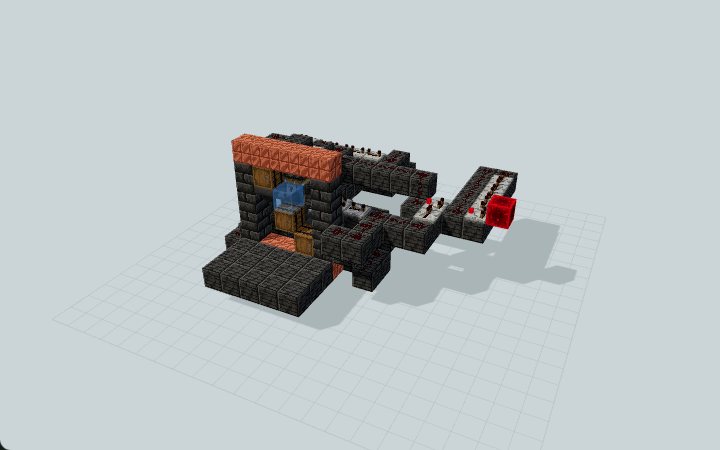
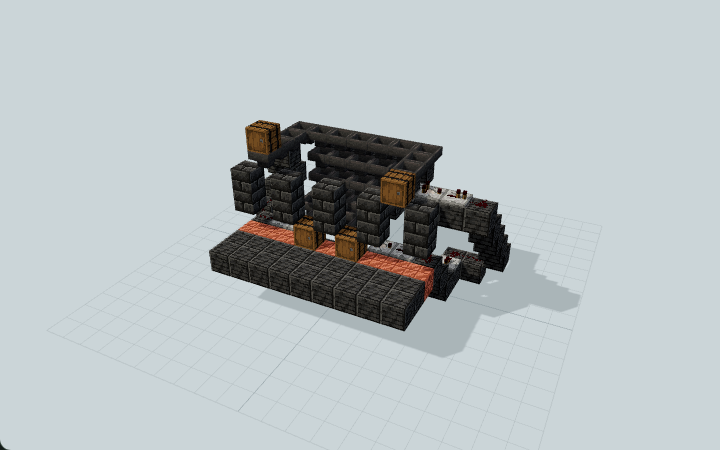
Automatic Shulker Box Loader
Pack bulk items into shulker boxes.
- Minecraft Java
- Sponge .schem · Litematica .litematic
- 10 × 12 plot · 6 high
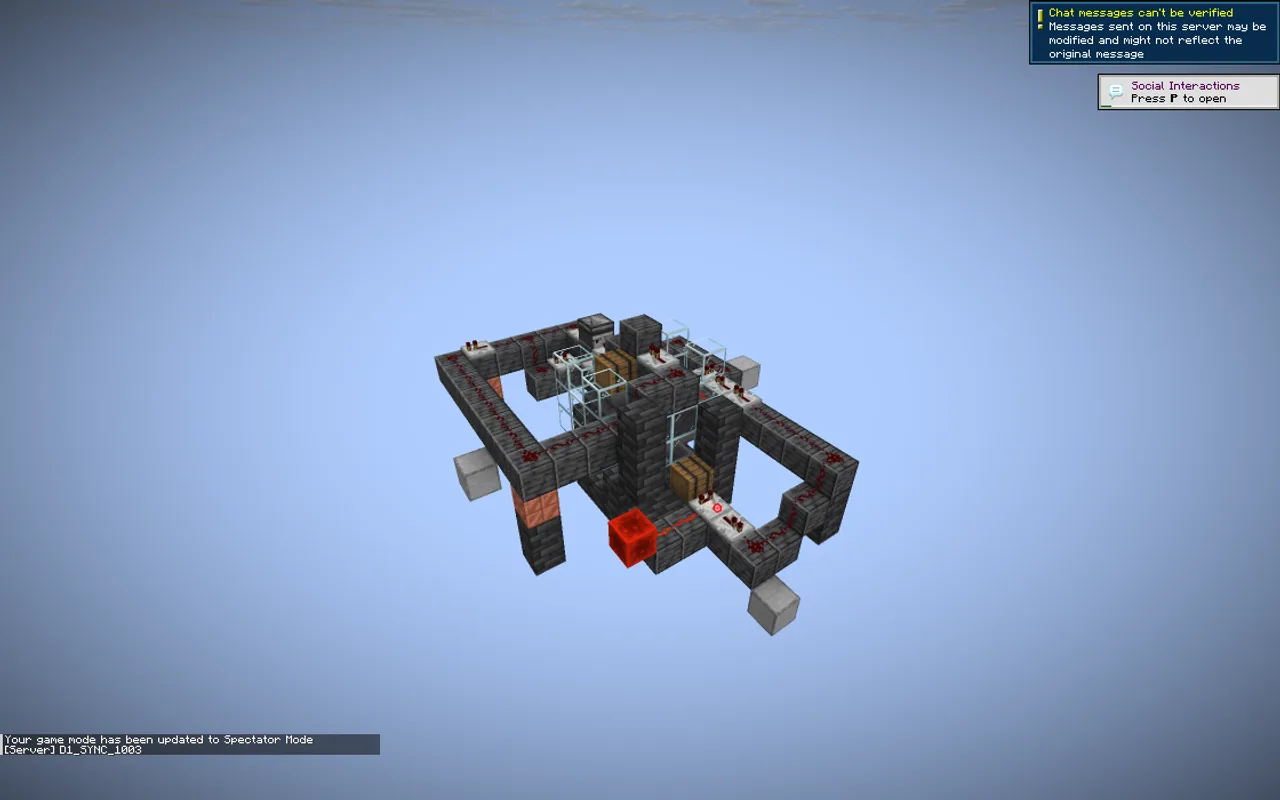
WorldEdit .schem selected. A native .litematic file is also available.
Shulker box loader
- Placed blocks
- 188
- Material families
- 14


Interactive 3D
A separate intake for boxes and bulk cargo
One cargo line fills a shulker to 27 full stacks and swaps in the next empty box. Collect packed boxes from the dedicated product barrel.
Put one type of 64-stackable item in the upper cargo barrel. The supply dispenser places an empty uncolored shulker into the protected loading bay.
The full-box comparator fires the ejector when the product barrel has room. Mud covers the collection hoppers so they can collect the dropped box without draining its contents while it is being loaded.
Human reviewed through MinePilot’s existing review workflow.
Fit and import
- Reserve 10 × 6 × 12 blocks and leave access landings at the tested sides of the two barrels and the dispenser.
- Keep the casing and catchment intact. Leave the bay loaded while it fills, and remove packed boxes from the output barrel to free space.
Choose an available file above and complete its protected download. Follow the import guide for your tool, start in a backup world and inspect the paste origin before placing the build.
Native acceptance used cobblestone and uncolored empty boxes in one lane in Java 26.3 and WorldEdit 7.4.6. The Litematic passed typed parser equivalence. Client placement in Litematica is untested.
Tested with Minecraft Java 26.3 and WorldEdit 7.4.6.
Advertisement
Installation and Quick Start
Feed bulk items and empty shulker boxes into separate ports, then collect full boxes below.
- 1
Leave room at each port
Choose a clear 10 × 6 × 12 site with the northwest bottom corner as the paste origin. Plan standing space west and east at three blocks above the origin, and south at the origin height.
- 2
Load and paste
On Java 26.3 with Fabric and WorldEdit 7.4.6, run //schem load stackable-shulker-box-loader.schem, then plain //paste at the origin. Use WorldEdit permissions.
- 3
Supply cargo and boxes
Put one kind of 64-stackable item in BULK CARGO at the upper west side, and empty uncolored shulker boxes in EMPTY BOXES at the upper east side. Try cobblestone first. There is no start switch.
- 4
Collect a full box
Keep the chunks ticking. At 27 full stacks, the loader ejects when PACKED BOXES has room. It reloads if an empty box is supplied. Collect from the low south barrel. Leave partial boxes in the bay and add more cargo.
- 5
Pause and recover
Empty BULK CARGO to pause feeding. Items in the hopper may still enter the box. Restock EMPTY BOXES if needed. If PACKED BOXES is full, the full working box waits. Free a slot to resume. Keep the casing, mud and hoppers intact.
Put the .schem in config/worldedit/schematics/. Build separate solid landings just outside the footprint to reach the three ports. Reserve PACKED BOXES for completed shulker boxes.
Materials & layers
188 placed blocks across 14 material families. Counts group orientation and state variants; they are placed positions, not crafting recipes. Beds and doors occupy multiple positions.
| Material | Placed |
|---|---|
| Polished Deepslate | 52 |
| Deepslate Tiles | 36 |
| Redstone Dust | 36 |
| Glass | 21 |
| Hopper | 11 |
| Repeater | 10 |
All 14 material families and exact states
Placed block counts · stack equivalents, not crafting ingredients. Expand for exact BlockStates.
 Polished Deepslate52Placed blocks
minecraft:polished_deepslate× 52 Deepslate Tiles36Placed blocks
minecraft:deepslate_tiles× 36 Redstone Dust3636 / 64 stack
minecraft:redstone_wire[east=none,north=side,power=0,south=side,west=none]× 11minecraft:redstone_wire[east=side,north=none,power=0,south=none,west=side]× 7minecraft:redstone_wire[east=none,north=side,power=0,south=none,west=side]× 3minecraft:redstone_wire[east=up,north=none,power=0,south=none,west=side]× 3minecraft:redstone_wire[east=none,north=none,power=0,south=side,west=side]× 2minecraft:redstone_wire[east=side,north=none,power=0,south=side,west=none]× 2minecraft:redstone_wire[east=side,north=side,power=0,south=none,west=none]× 2minecraft:redstone_wire[east=none,north=side,power=14,south=side,west=none]× 1minecraft:redstone_wire[east=none,north=side,power=15,south=side,west=none]× 1minecraft:redstone_wire[east=side,north=none,power=0,south=side,west=side]× 1minecraft:redstone_wire[east=side,north=none,power=14,south=none,west=side]× 1minecraft:redstone_wire[east=side,north=none,power=15,south=none,west=side]× 1minecraft:redstone_wire[east=side,north=up,power=0,south=none,west=none]× 1 Glass2121 / 64 stack
minecraft:glass× 21 Hopper1111 / 64 stack
minecraft:hopper[enabled=true,facing=east]× 4minecraft:hopper[enabled=true,facing=south]× 4minecraft:hopper[enabled=true,facing=west]× 3 Repeater1010 / 64 stack
minecraft:repeater[delay=1,facing=south,locked=false,powered=false]× 3minecraft:repeater[delay=1,facing=north,locked=false,powered=false]× 2minecraft:repeater[delay=1,facing=east,locked=false,powered=false]× 1minecraft:repeater[delay=1,facing=west,locked=false,powered=false]× 1minecraft:repeater[delay=2,facing=east,locked=false,powered=false]× 1minecraft:repeater[delay=3,facing=south,locked=false,powered=false]× 1minecraft:repeater[delay=4,facing=south,locked=false,powered=false]× 1Mud9Placed blocks
minecraft:mud× 9 Comparator33 / 64 stack
minecraft:comparator[facing=north,mode=subtract,powered=false]× 1minecraft:comparator[facing=south,mode=compare,powered=false]× 1minecraft:comparator[facing=west,mode=subtract,powered=false]× 1 Barrel22 / 64 stack
minecraft:barrel[facing=west,open=false]× 2 Observer22 / 64 stack
minecraft:observer[facing=south,powered=false]× 2Redstone Block22 / 64 stack
minecraft:redstone_block× 2Waxed Cut Copper2Placed blocks
minecraft:waxed_cut_copper× 2Dispenser11 / 64 stack
minecraft:dispenser[facing=down,triggered=false]× 1 Piston11 / 64 stack
minecraft:piston[extended=false,facing=south]× 1Layer overview · 6 of 6 occupied layers
These sampled counts show materials by Y-level, relative to the schematic. For block positions, open Layers in the 3D Playground.
- Y=0: 29 placed blocks · Deepslate Tiles 23, Polished Deepslate 6
- Y=1: 27 placed blocks · Hopper 10, Deepslate Tiles 8
- Y=2: 44 placed blocks · Polished Deepslate 20, Glass 9, Mud 9, Waxed Cut Copper 2
- Y=3: 54 placed blocks · Polished Deepslate 20, Glass 8, Redstone Dust 7
- Y=4: 30 placed blocks · Redstone Dust 10, Glass 4, Polished Deepslate 4
- Y=5: 4 placed blocks · Redstone Dust 2, Polished Deepslate 1, Repeater 1