Automatic Shulker Box Unloader
Unload shulker boxes and recover the empty carriers.
- Minecraft Java
- Sponge .schem · Litematica .litematic
- 14 × 13 plot · 7 high
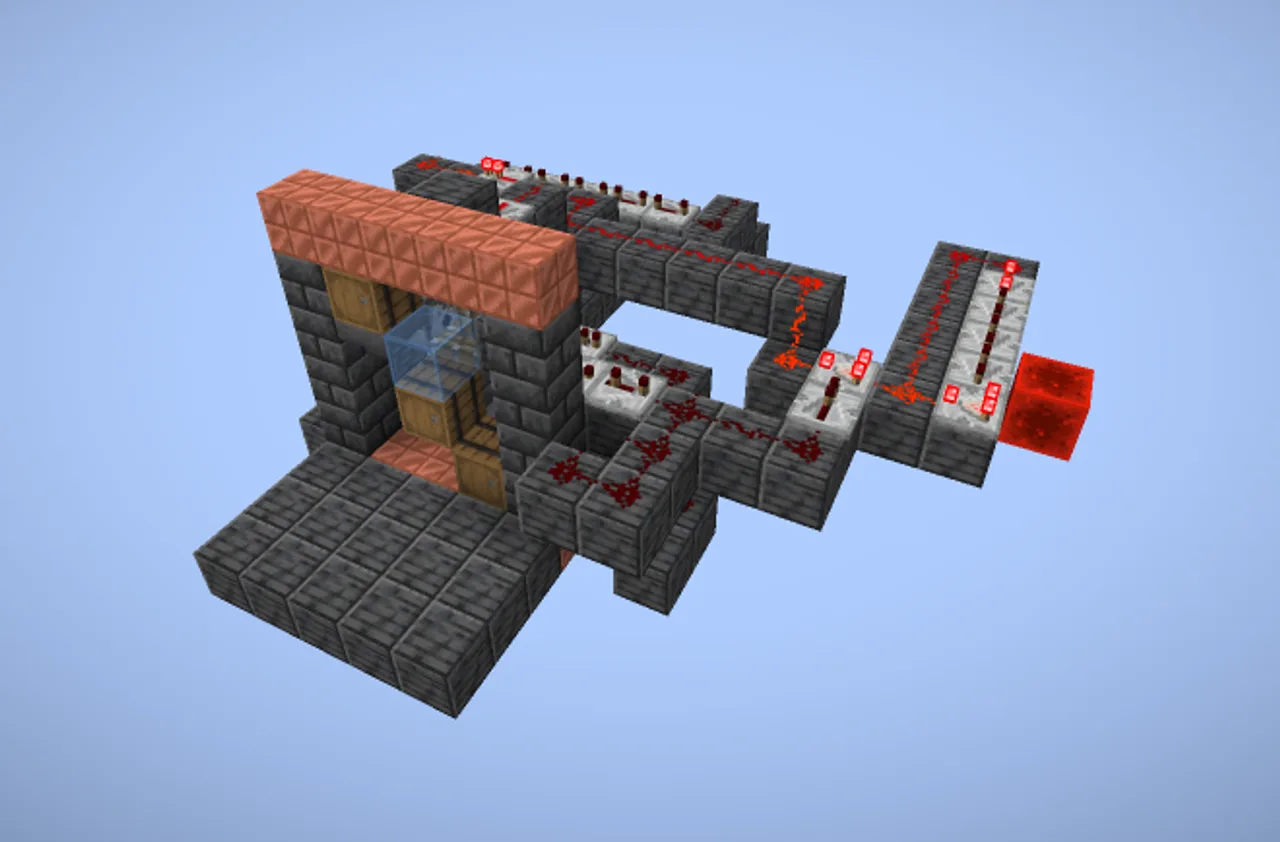
WorldEdit .schem selected. A native .litematic file is also available.
Shulker box unloader
- Placed blocks
- 206
- Material families
- 13


Interactive 3D
Unload and reuse shulker boxes
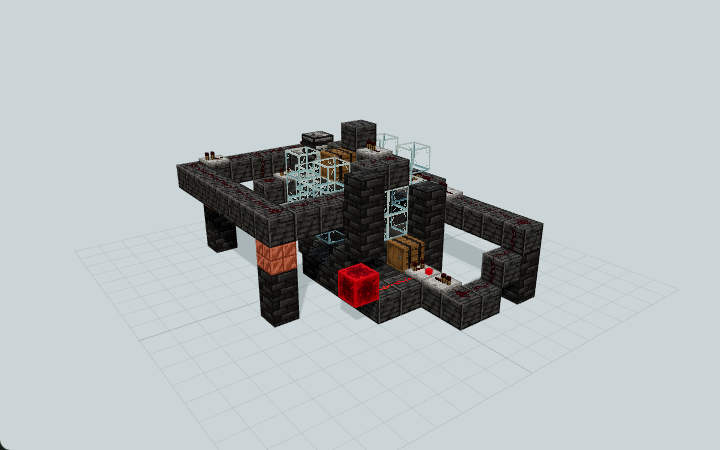
Unload packed shulker boxes into separate cargo and empty-box barrels. Useful for mining drop-offs and workshop restocking.
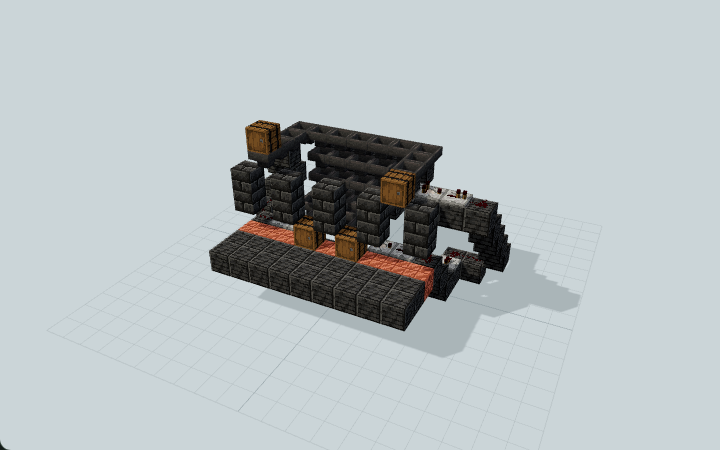
A hopper drains the working box into CARGO OUTPUT. Once the box and extraction hopper are empty, the piston breaks the box and a separate hopper routes it into EMPTY BOXES. Both outputs can recover after you free space.
Human reviewed through MinePilot’s existing review workflow.
Fit and import
- Allow 14 × 7 × 13 blocks (width × height × length). Stand at the northwest bottom corner of that clear space for the paste. Keep the original orientation, with the operating platform facing south.
Choose an available file above and complete its protected download. Follow the import guide for your tool, start in a backup world and inspect the paste origin before placing the build.
Tested on Java 26.3 with WorldEdit 7.4.6. Litematica client placement remains unverified.
Tested with Minecraft Java 26.3 and WorldEdit 7.4.6.
Advertisement
Installation and Quick Start
Put packed shulker boxes in the upper barrel. Collect loose items and empty shulker boxes from the two lower barrels.
- 1
Clear the footprint
Allow 14 × 7 × 13 blocks (width × height × length). Stand at the northwest bottom corner of that clear space for the paste. Keep the original orientation, with the operating platform facing south.
- 2
Paste the complete machine
Put the file in WorldEdit’s schematics folder. Run //schem load Automatic-Shulker-Box-Unloader.schem and then plain //paste. The machine includes its platform, barrels and wiring.
- 3
Load a box
Stand on the south platform. Open BOX INPUT, the upper barrel, and insert a standard shulker box. Colored boxes work. Start with a box containing cobblestone and oak logs.
- 4
Collect both outputs
Take loose items from CARGO OUTPUT and empty boxes from EMPTY BOXES. Keep both outputs clear and the chunks ticking. A box can take several minutes to empty. The piston can cycle when the input is empty.
- 5
Clear a blocked output
Free space in the jammed barrel. Allow time for the hoppers to transfer the backlog. The box changer resumes on its own. Keep the glass and all hoppers in place.
Use BOX INPUT for shulker boxes only. The tested mixed case included cobblestone, oak logs and a wooden pickaxe. The three barrels sit at different heights and are reachable from the same standing surface.
Materials & layers
206 placed blocks across 13 material families. Counts group orientation and state variants; they are placed positions, not crafting recipes. Beds and doors occupy multiple positions.
| Material | Placed |
|---|---|
| Polished Deepslate | 98 |
| Redstone Dust | 55 |
| Repeater | 17 |
| Waxed Cut Copper | 10 |
| Deepslate Bricks | 8 |
| Comparator | 5 |
All 13 material families and exact states
Placed block counts · stack equivalents, not crafting ingredients. Expand for exact BlockStates.
 Polished Deepslate98Placed blocks
minecraft:polished_deepslate× 98 Redstone Dust5555 / 64 stack
minecraft:redstone_wire[east=none,north=side,power=0,south=side,west=none]× 13minecraft:redstone_wire[east=side,north=none,power=0,south=none,west=side]× 9minecraft:redstone_wire[east=none,north=none,power=0,south=side,west=side]× 6minecraft:redstone_wire[east=side,north=none,power=0,south=side,west=none]× 4minecraft:redstone_wire[east=none,north=side,power=0,south=none,west=side]× 3minecraft:redstone_wire[east=none,north=side,power=0,south=up,west=none]× 3minecraft:redstone_wire[east=side,north=side,power=0,south=none,west=none]× 3minecraft:redstone_wire[east=none,north=none,power=0,south=up,west=side]× 2minecraft:redstone_wire[east=none,north=up,power=0,south=side,west=none]× 2minecraft:redstone_wire[east=none,north=side,power=0,south=side,west=side]× 1minecraft:redstone_wire[east=none,north=up,power=0,south=none,west=side]× 1minecraft:redstone_wire[east=side,north=none,power=0,south=side,west=side]× 1minecraft:redstone_wire[east=side,north=side,power=0,south=none,west=side]× 1minecraft:redstone_wire[east=side,north=side,power=0,south=side,west=side]× 1minecraft:redstone_wire[east=side,north=side,power=0,south=up,west=none]× 1minecraft:redstone_wire[east=side,north=up,power=0,south=none,west=none]× 1minecraft:redstone_wire[east=up,north=none,power=0,south=none,west=side]× 1minecraft:redstone_wire[east=up,north=none,power=0,south=up,west=none]× 1minecraft:redstone_wire[east=up,north=side,power=0,south=none,west=none]× 1 Repeater1717 / 64 stack
minecraft:repeater[delay=4,facing=west,locked=false,powered=false]× 5minecraft:repeater[delay=4,facing=north,locked=false,powered=false]× 4minecraft:repeater[delay=1,facing=north,locked=false,powered=false]× 3minecraft:repeater[delay=1,facing=west,locked=false,powered=false]× 2minecraft:repeater[delay=1,facing=east,locked=false,powered=false]× 1minecraft:repeater[delay=1,facing=south,locked=false,powered=false]× 1minecraft:repeater[delay=3,facing=west,locked=false,powered=false]× 1Waxed Cut Copper10Placed blocks
minecraft:waxed_cut_copper× 10 Deepslate Bricks88 / 64 stack
minecraft:deepslate_bricks× 8 Comparator55 / 64 stack
minecraft:comparator[facing=east,mode=subtract,powered=false]× 2minecraft:comparator[facing=west,mode=compare,powered=false]× 2minecraft:comparator[facing=south,mode=compare,powered=false]× 1 Hopper44 / 64 stack
minecraft:hopper[enabled=true,facing=south]× 2minecraft:hopper[enabled=true,facing=east]× 1minecraft:hopper[enabled=true,facing=north]× 1 Barrel33 / 64 stack
minecraft:barrel[facing=south,open=false]× 3Light Blue Stained Glass22 / 64 stack
minecraft:light_blue_stained_glass× 2Dispenser11 / 64 stack
minecraft:dispenser[facing=east,triggered=false]× 1 Piston11 / 64 stack
minecraft:piston[extended=false,facing=down]× 1Redstone Block11 / 64 stack
minecraft:redstone_block× 1Redstone Torch11 / 64 stack
minecraft:redstone_wall_torch[facing=east,lit=true]× 1Layer overview · 7 of 7 occupied layers
These sampled counts show materials by Y-level, relative to the schematic. For block positions, open Layers in the 3D Playground.
- Y=0: 6 placed blocks · Polished Deepslate 6
- Y=1: 39 placed blocks · Polished Deepslate 27, Waxed Cut Copper 5, Redstone Dust 2
- Y=2: 28 placed blocks · Polished Deepslate 12, Redstone Dust 4, Deepslate Bricks 2
- Y=3: 51 placed blocks · Polished Deepslate 36, Redstone Dust 3, Deepslate Bricks 2
- Y=4: 56 placed blocks · Polished Deepslate 14, Repeater 9, Redstone Dust 6
- Y=5: 18 placed blocks · Redstone Dust 7, Deepslate Bricks 2, Polished Deepslate 2
- Y=6: 8 placed blocks · Waxed Cut Copper 5, Polished Deepslate 1, Redstone Dust 1, Repeater 1