Modular Item Elevator
Move cargo between workshop floors.
- Minecraft Java
- Sponge .schem · Litematica .litematic
- 7 × 7 plot · 9 high
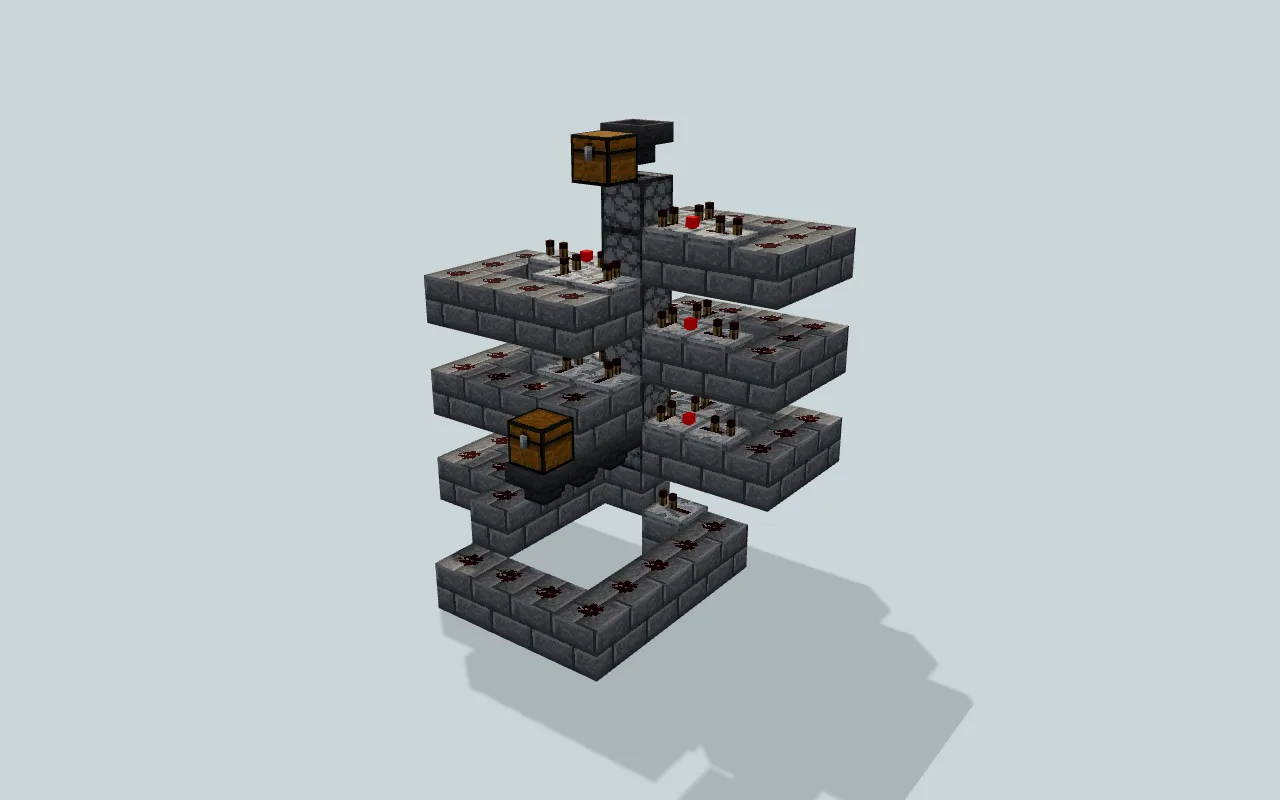
WorldEdit .schem selected. A native .litematic file is also available.
Item transport
- Placed blocks
- 149
- Material families
- 7


Interactive 3D
Two levels, one transfer
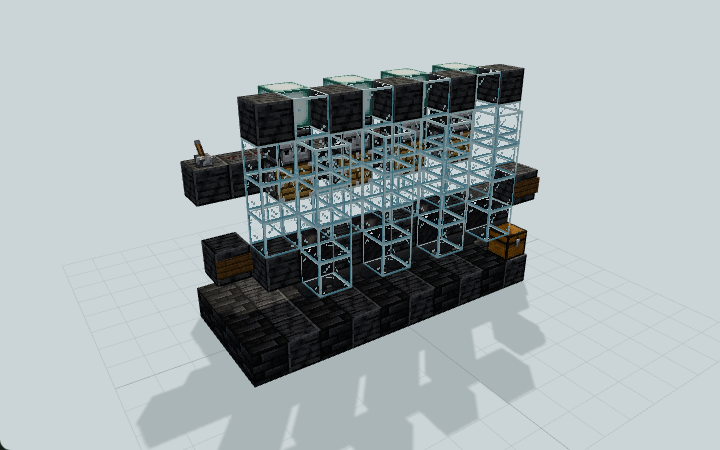
Put items in the lower chest and collect them five blocks higher. Six droppers move cargo through a compact vertical column.
Use it beside storage or at the end of a farm line. The chests are on the same side so you can build an access path at each floor.
The lift waits when empty. Leave the machine ticking after clearing a full destination so buffered items can finish the trip.
Human reviewed through MinePilot’s existing review workflow.
Fit and import
- Reserve 7 × 9 × 7 blocks and place the paste origin at the northwest bottom corner. Leave both chest lids clear.
- Use the full item-elevator.schem filename with WorldEdit 7.4.6 on Minecraft Java 26.3. Use a plain paste.
Choose an available file above and complete its protected download. Follow the import guide for your tool, start in a backup world and inspect the paste origin before placing the build.
Tested with Minecraft Java 26.3 and WorldEdit 7.4.6. The Litematic has parser-verified state parity. Client placement in Litematica is untested.
Tested with Minecraft Java 26.3 and WorldEdit 7.4.6.
Advertisement
Installation and Quick Start
Send items from a lower chest to an upper chest through a six-dropper column.
- 1
Choose a clear site
Clear a space 7 blocks east to west, 7 north to south and 9 high for the machine. The paste origin is the northwest bottom corner.
- 2
Leave room at both chest levels
Leave standing room east of both chests and clear space above each lid. The lower chest sits 3 blocks above the paste origin and the upper chest is 5 blocks higher. Build landings and a route between them.
- 3
Load and paste with WorldEdit
On Java 26.3 with Fabric and WorldEdit 7.4.6, copy the .schem to config/worldedit/schematics/ and name it item-elevator.schem. With WorldEdit permissions, run //schem load item-elevator.schem, then //paste at the origin.
- 4
Put an item in the lower chest
Put one cobblestone in the lower chest. The lift starts automatically while the chunks are ticking.
- 5
Collect from the upper chest
Use the upper landing to open the output chest. If the chest fills, make room and keep the machine ticking so buffered items can move through.
Droppers can click while moving items or retrying a blocked transfer. The empty lift stops pulsing.
Materials & layers
149 placed blocks across 7 material families. Counts group orientation and state variants; they are placed positions, not crafting recipes. Beds and doors occupy multiple positions.
| Material | Placed |
|---|---|
| Stone Bricks | 69 |
| Redstone Dust | 44 |
| Repeater | 18 |
| Comparator | 6 |
| Dropper | 6 |
| Hopper | 4 |
All 7 material families and exact states
Placed block counts · stack equivalents, not crafting ingredients. Expand for exact BlockStates.
 Stone Bricks691×64 + 5
minecraft:stone_bricks× 69 Redstone Dust4444 / 64 stack
minecraft:redstone_wire× 44 Repeater1818 / 64 stack
minecraft:repeater[delay=1,facing=west,locked=false,powered=false]× 3minecraft:repeater[delay=2,facing=east,locked=false,powered=false]× 3minecraft:repeater[delay=2,facing=north,locked=false,powered=false]× 3minecraft:repeater[delay=2,facing=south,locked=false,powered=false]× 3minecraft:repeater[delay=2,facing=west,locked=false,powered=false]× 3minecraft:repeater[delay=1,facing=east,locked=false,powered=false]× 2minecraft:repeater[delay=1,facing=north,locked=false,powered=false]× 1 Comparator66 / 64 stack
minecraft:comparator[facing=north,mode=subtract,powered=false]× 3minecraft:comparator[facing=south,mode=subtract,powered=false]× 3Dropper66 / 64 stack
minecraft:dropper[facing=up,triggered=false]× 6 Hopper44 / 64 stack
minecraft:hopper[enabled=true,facing=west]× 3minecraft:hopper[enabled=true,facing=east]× 1 Chest22 / 64 stack
minecraft:chest[facing=east,type=single,waterlogged=false]× 2Layer overview · 9 of 9 occupied layers
These sampled counts show materials by Y-level, relative to the schematic. For block positions, open Layers in the 3D Playground.
- Y=0: 9 placed blocks · Stone Bricks 9
- Y=1: 19 placed blocks · Stone Bricks 10, Redstone Dust 8, Repeater 1
- Y=2: 23 placed blocks · Stone Bricks 10, Redstone Dust 6, Hopper 3, Dropper 1
- Y=3: 22 placed blocks · Stone Bricks 10, Redstone Dust 6, Repeater 2
- Y=4: 21 placed blocks · Stone Bricks 10, Redstone Dust 6, Dropper 1, Repeater 1
- Y=5: 21 placed blocks · Stone Bricks 10, Redstone Dust 6, Repeater 2
- Y=6: 21 placed blocks · Stone Bricks 10, Redstone Dust 6, Dropper 1, Repeater 1
- Y=7: 11 placed blocks · Redstone Dust 6, Repeater 2, Comparator 1
- Y=8: 2 placed blocks · Chest 1, Hopper 1