Two-Face Item Frame Mount and Rotation Jig
Mount, fill and rotate a frame on the north face.
- Minecraft Java
- Sponge .schem · Litematica .litematic
- 22 × 16 plot · 8 high
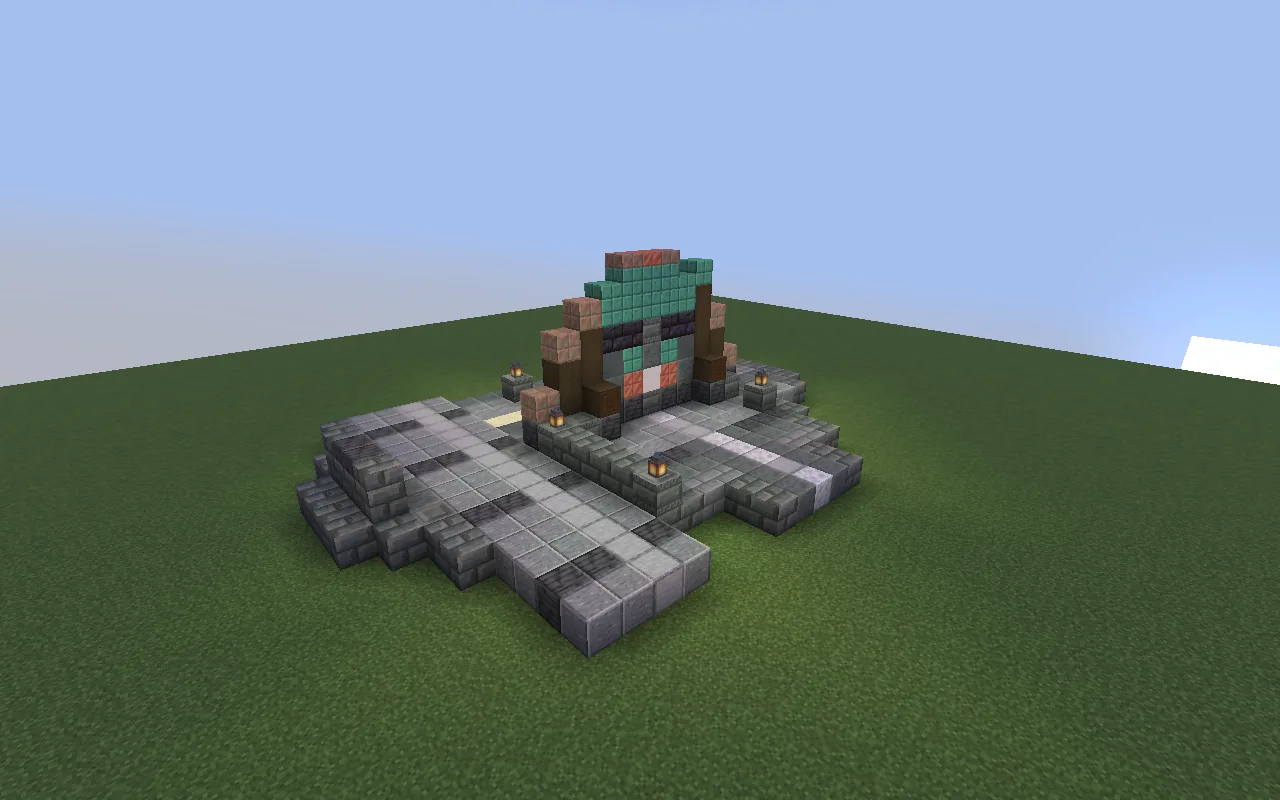
WorldEdit .schem selected. A native .litematic file is also available.
Item frame test stand
- Placed blocks
- 351
- Material families
- 24


Interactive 3D
Place and use it
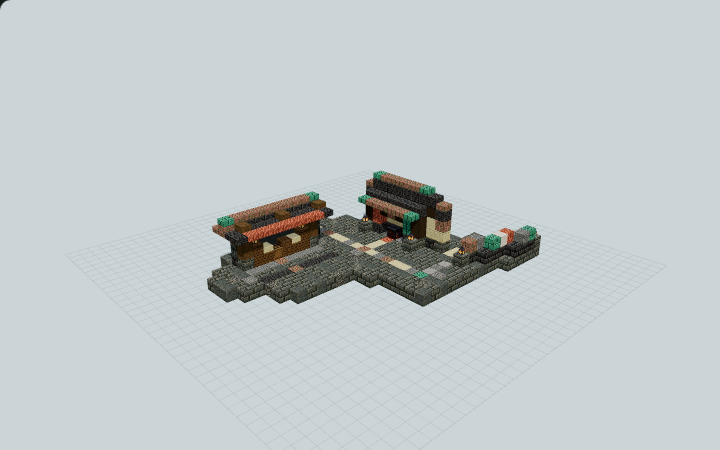
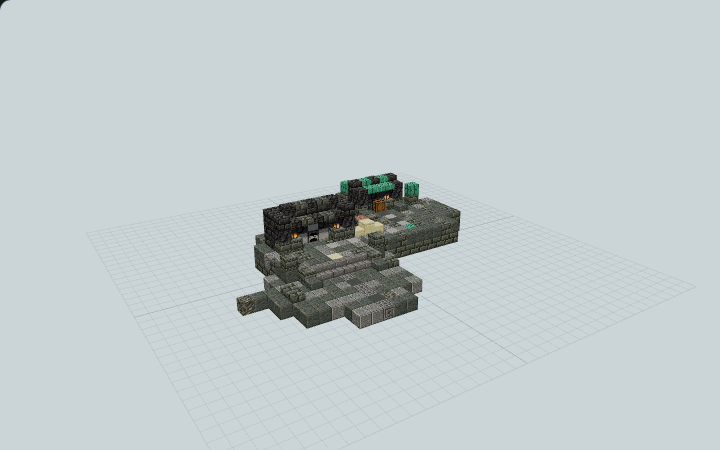
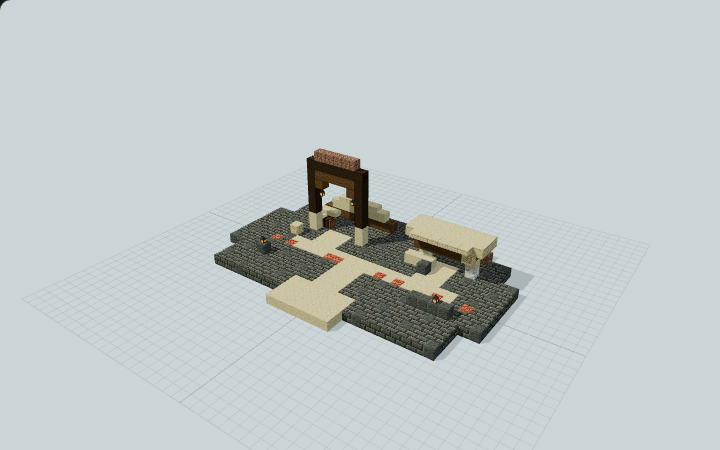
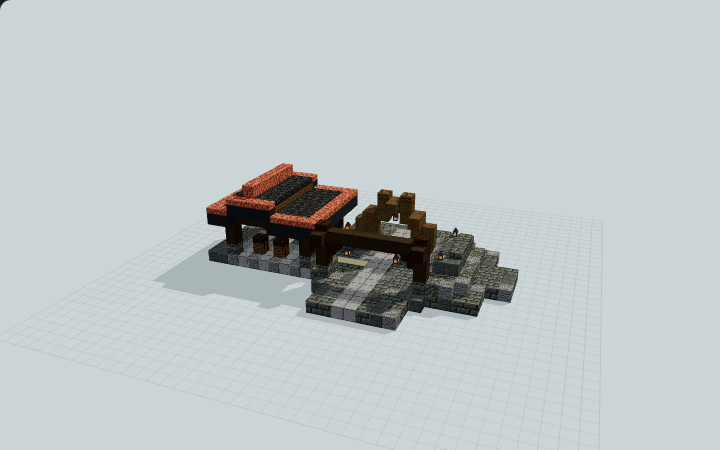
One pale quartz block in this stepped copper-and-wood panel presents two bare faces.
Use the north setup pad for a frame test or view the opposite face from the south. A separate path runs along the east edge, outside both standing areas.
Human reviewed through MinePilot’s existing review workflow.
Fit and import
- Prepare a level 22 × 16 block plot with eight blocks of height. Set the lowest paving at ground level and keep the north setup strip, south pad and east path clear.
- Bring a regular item frame and a sample item such as paper. From the north pad, place the frame on the pale quartz block. Interact with the installed frame while holding the sample to put it inside, then interact again to turn it by hand.
- Use the .schem in WorldEdit or the single-region .litematic in Litematica. Align the lowest selection corner with the level prepared ground. Both files were cold-placed unrotated in Minecraft Java 26.3 using WorldEdit 7.4.6+7648-00664b0 and Litematica 0.29.1 with MaLiLib 0.30.2. These are tested versions, not minimum requirements.
Choose an available file above and complete its protected download. Follow the import guide for your tool, start in a backup world and inspect the paste origin before placing the build.
The south pad shows the same block’s opposite bare face. Mounting and rotation were tested only from the north. The build includes no frame, contents, entities or automatic rotation.
Advertisement
Materials & layers
351 placed blocks across 24 material families. Counts group orientation and state variants; they are placed positions, not crafting recipes. Beds and doors occupy multiple positions.
| Material | Placed |
|---|---|
| Polished Tuff | 66 |
| Polished Andesite | 64 |
| Polished Deepslate | 45 |
| Tuff Bricks | 41 |
| Smooth Stone | 19 |
| Andesite | 15 |
All 24 material families and exact states
Placed block counts · stack equivalents, not crafting ingredients. Expand for exact BlockStates.
Polished Tuff66Placed blocks
minecraft:polished_tuff× 66 Polished Andesite64Placed blocks
minecraft:polished_andesite× 64 Polished Deepslate45Placed blocks
minecraft:polished_deepslate× 45Tuff Bricks4141 / 64 stack
minecraft:tuff_bricks× 41 Smooth Stone19Placed blocks
minecraft:smooth_stone× 19 Andesite15Placed blocks
minecraft:andesite× 15Chiseled Tuff Bricks1515 / 64 stack
minecraft:chiseled_tuff_bricks× 15 Stone Bricks1515 / 64 stack
minecraft:stone_bricks× 15Stripped Dark Oak Log1515 / 64 stack
minecraft:stripped_dark_oak_log[axis=y]× 11minecraft:stripped_dark_oak_log[axis=z]× 4Waxed Oxidized Cut Copper11Placed blocks
minecraft:waxed_oxidized_cut_copper× 11 Smooth Sandstone8Placed blocks
minecraft:smooth_sandstone× 8 Lantern55 / 64 stack
minecraft:lantern[hanging=false,waterlogged=false]× 5Polished Diorite5Placed blocks
minecraft:polished_diorite× 5Waxed Exposed Cut Copper5Placed blocks
minecraft:waxed_exposed_cut_copper× 5 Cut Sandstone4Placed blocks
minecraft:cut_sandstone× 4 Polished Blackstone Bricks44 / 64 stack
minecraft:polished_blackstone_bricks× 4Cyan Terracotta22 / 64 stack
minecraft:cyan_terracotta× 2Polished Deepslate Slab22 / 64 stack
minecraft:polished_deepslate_slab[type=bottom,waterlogged=false]× 2Tuff Brick Slab22 / 64 stack
minecraft:tuff_brick_slab[type=bottom,waterlogged=false]× 2Waxed Cut Copper2Placed blocks
minecraft:waxed_cut_copper× 2Waxed Exposed Cut Copper Slab22 / 64 stack
minecraft:waxed_exposed_cut_copper_slab[type=bottom,waterlogged=false]× 2Waxed Oxidized Cut Copper Slab22 / 64 stack
minecraft:waxed_oxidized_cut_copper_slab[type=bottom,waterlogged=false]× 2 Smooth Quartz1Placed blocks
minecraft:smooth_quartz× 1Waxed Cut Copper Slab11 / 64 stack
minecraft:waxed_cut_copper_slab[type=bottom,waterlogged=false]× 1Layer overview · 8 of 8 occupied layers
These sampled counts show materials by Y-level, relative to the schematic. For block positions, open Layers in the 3D Playground.
- Y=0: 261 placed blocks · Polished Andesite 64, Polished Tuff 63, Tuff Bricks 33, Polished Deepslate 31
- Y=1: 32 placed blocks · Polished Deepslate 14, Chiseled Tuff Bricks 10, Tuff Bricks 8
- Y=2: 24 placed blocks · Stripped Dark Oak Log 8, Lantern 5, Tuff Brick Slab 2
- Y=3: 9 placed blocks · Stripped Dark Oak Log 4, Cyan Terracotta 2, Waxed Oxidized Cut Copper 2, Polished Tuff 1
- Y=4: 9 placed blocks · Polished Blackstone Bricks 4, Stripped Dark Oak Log 2, Waxed Exposed Cut Copper 2, Chiseled Tuff Bricks 1
- Y=5: 7 placed blocks · Waxed Oxidized Cut Copper 5, Stripped Dark Oak Log 1, Waxed Exposed Cut Copper 1
- Y=6: 6 placed blocks · Waxed Oxidized Cut Copper 4, Waxed Oxidized Cut Copper Slab 2
- Y=7: 3 placed blocks · Waxed Exposed Cut Copper Slab 2, Waxed Cut Copper Slab 1